7
2. Setting up your internet connection
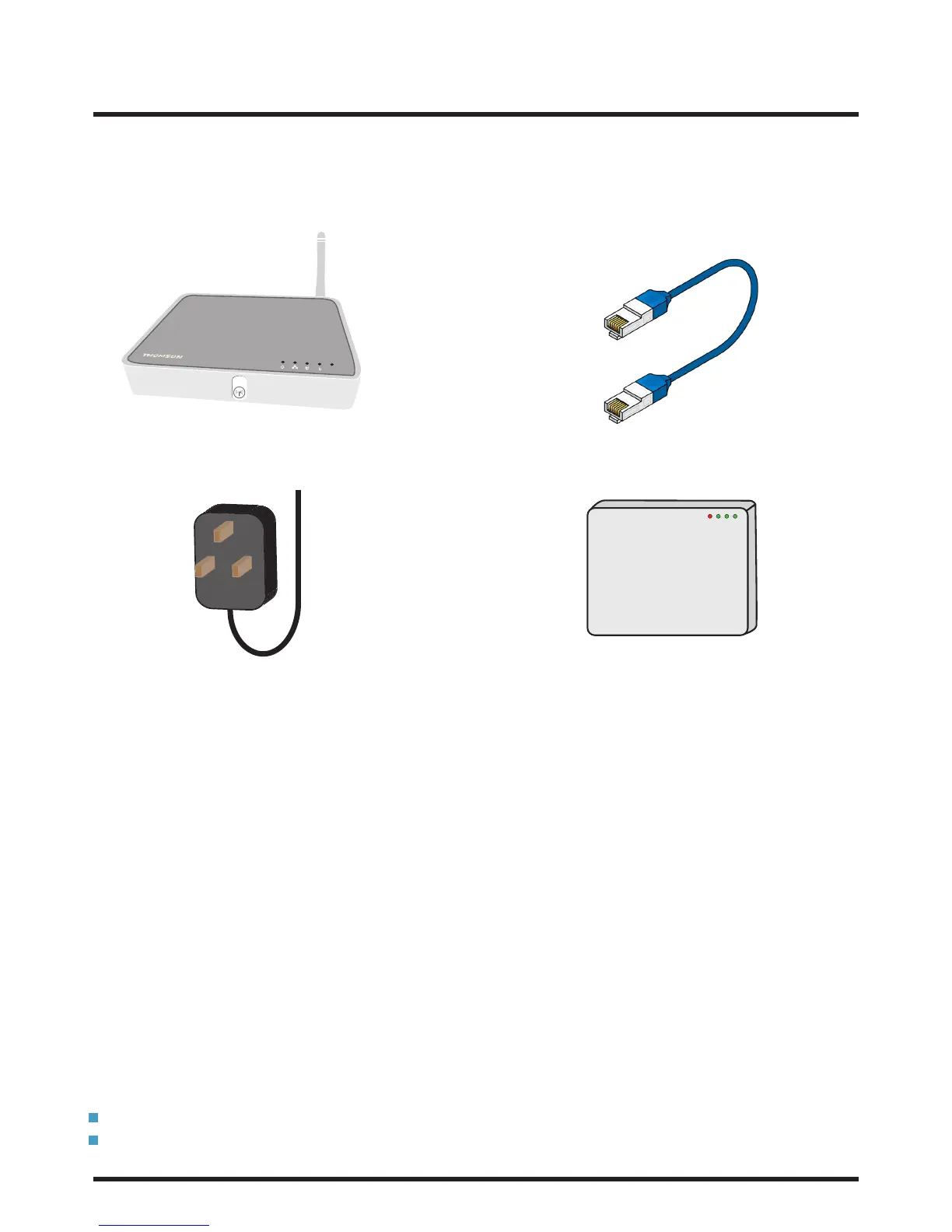
Make sure you have all of the following pieces of equipment before setting up your internet connection.
Network Ethernet cable
(colour may vary)
Wireless Thomson Router
Router Power Supply ONT
Your set-up options:
1. A ‘wired’ connection
Internet speeds slow down over wireless connections, so for the best download & upload speeds, use wired.
2. A ‘wireless’ connection
If you have a PC/laptop (made in the last six years), or Apple Mac then you will be ready to go, as it will be
‘wireless enabled’ as standard.
If your computer isn’t ‘wireless enabled’, you’ll need the following equipment:
For laptop: Wireless USB adaptor or wireless PCMCIA card
For PC: Wireless USB adaptor or wireless network card
3. A ‘wired’ connection using your house’s internal wiring
Using the patch-panel, you can deliver services wherever they are needed in the home
And remember:
Follow these instructions closely and don’t attempt to disassemble any of your seethelight equipment
Don’t turn on your power supply until you’re sure everything is connected correctly
@














 To Next Page