- 13-
1.3. Activating Mobile Data
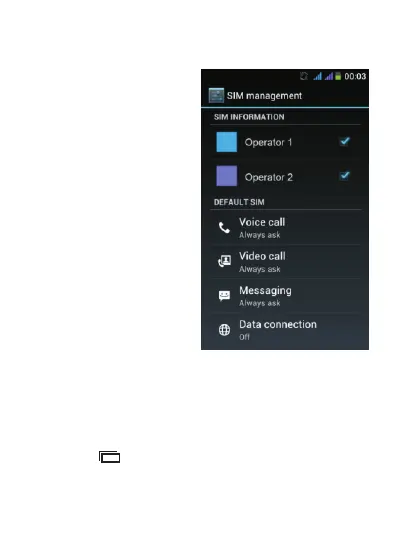
To activate mobile data in order to browse the Internet or
send emails through your operator's network, tap “Data
connection” and select the network operator of the
corresponding SIM card.
If the above screen does not appear: from the Home
screen, tap and select “System settings” then select
“SIM management”.



 To Next Page