- 22-
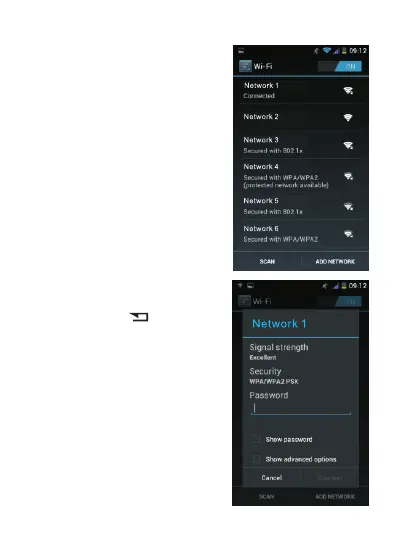
Then select the desired Wi-Fi
network.
After that, enter the password
of the network. To facilitate
entry, press the button to
remove the on-screen keyboard
and Input “ password”. Then,
tap the password input field to
display the keyboard again.
After entering the password,
tap “Connect”.



 To Next Page