- 26-
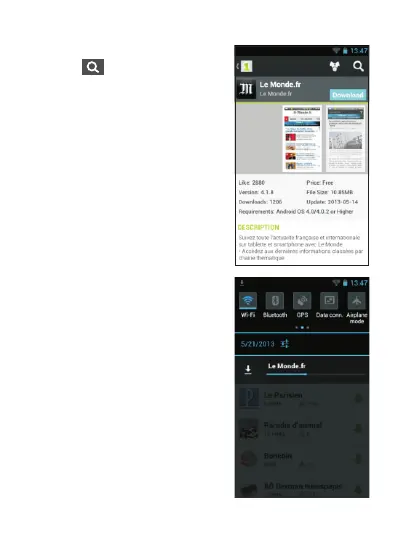
Run 1MobileMarket then click
on the to search for a
sp ec i fi c ap p , or f o ll ow t h e
prog ram’s re comm enda tion s.
The sea rche d app may not
a p p e a r o n t o p o f t h e l i s t
immediately, in this case just
drag down the list to show more
results until it appears. Click on
the app, then select Download.
A t o p - d o w n a r r o w i n t h e
notification area on the top left
side of the screen will indicate
that the downloading is under
way. Make sure you have a
Wi-Fi connection or 3G data
mode activated. Dragging down
t h e n o t i f i c a t i o n a r e a
downwards, the blue download
bar will let you monitor the
download progress.



 To Next Page