- 48-
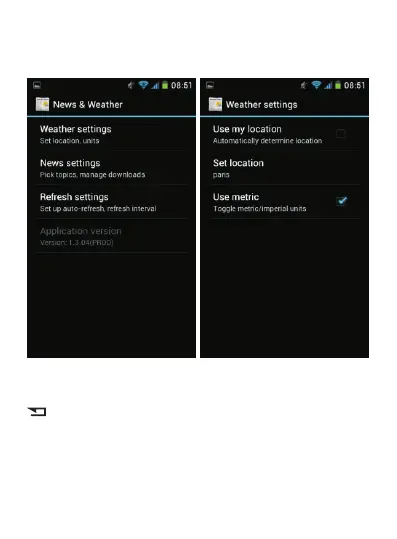
Select “Settings” then “Weather settings”.
Finally, select “Use my location” if you have activated the
GPS feature. Otherwise, select “Set a location”. Tap
repeatedly to exit the menu and return to the Home
screen. The weather bul letin will now be updated
automatically.



 To Next Page