EasyManua.ls Logo

Three NR5103e - Parental Control Configuration Details; Navigating to Parental Control; Adding a Parental Control Profile

Default Icon
16 pages
Print Icon
To Next Page IconTo Next Page
To Previous Page IconTo Previous Page
Loading...
9
THREE 5G HUB NR5103E SELF-INSTALL USER GUIDE
THREE IRELAND
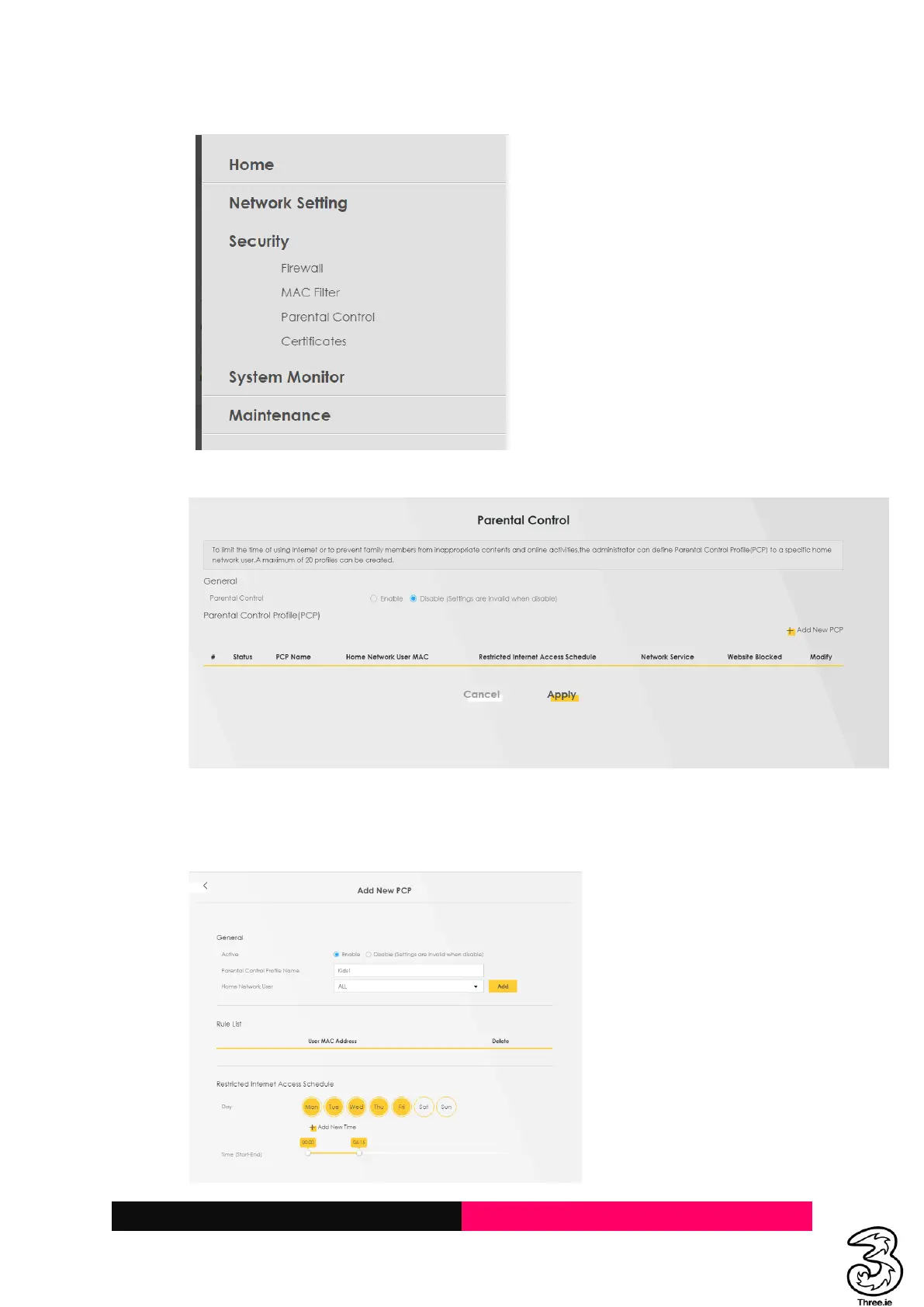
c. Locate the Security Parental Control
d. Open the Parental Control
e. Click on Add New PCP button to add a relevant device for further configuration
f. Select Enable, enter desired Profile Name, Select Kids device (Home Network User)
Add
g. Select the desired Restricted Internet Access Schedule OK