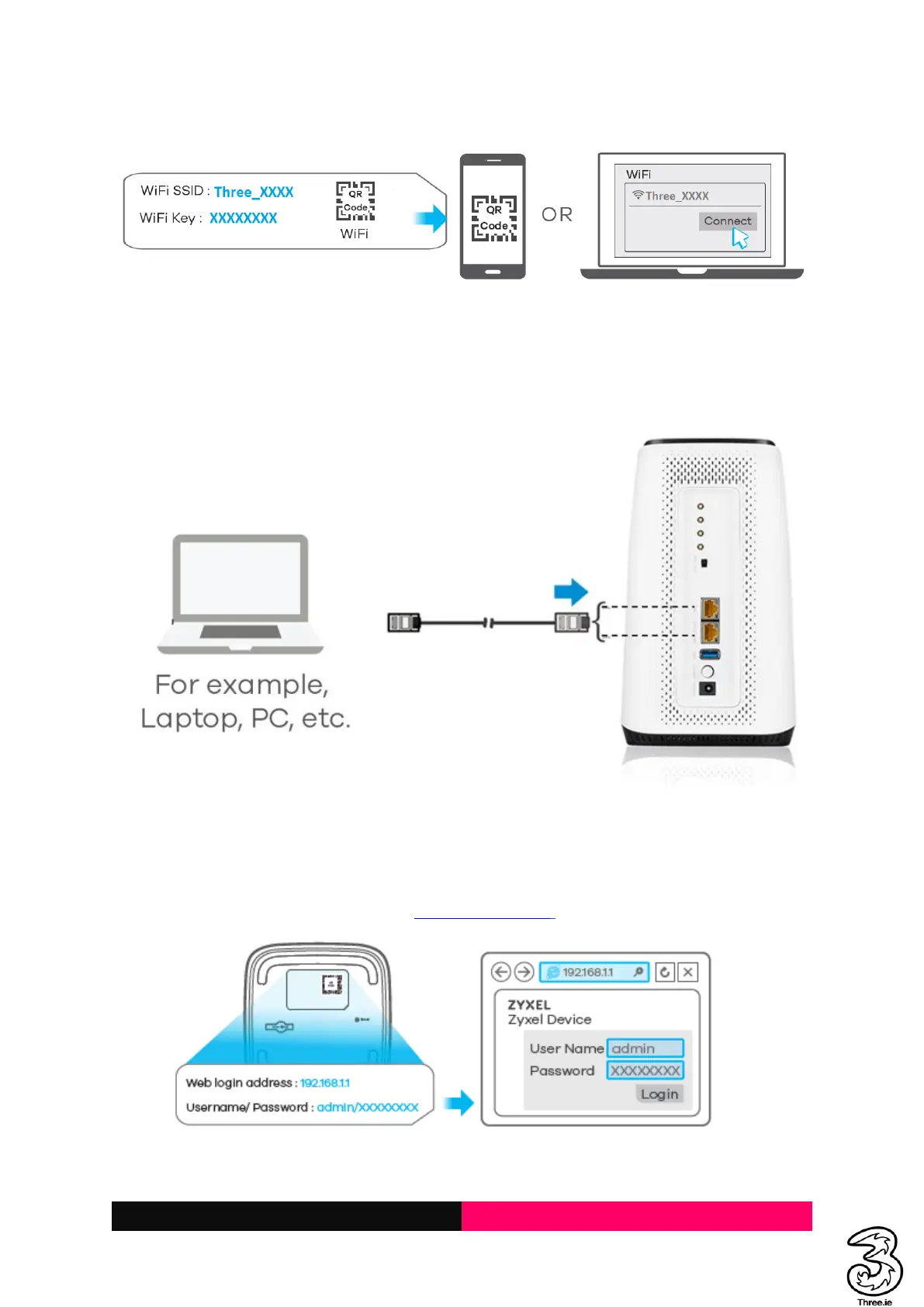
2.2 Connecting via a Network/LAN Cable
Connect one of the LAN ports on the Smart Hub and the LAN port on your computer/PC/Laptop or
smart devices with a LAN cable.
2.3 Accessing the 5G CPE Admin UI Web Page
Visit the 5G CPE Admin UI web page to configure the Smart Hub settings, such as passwords, and Wi-
Fi SSID/Name.
1. View the label at the base of the Smart Hub to get the default Web login address and
username/password. (Default URL: http://192.168.1.1/)



 To Next Page