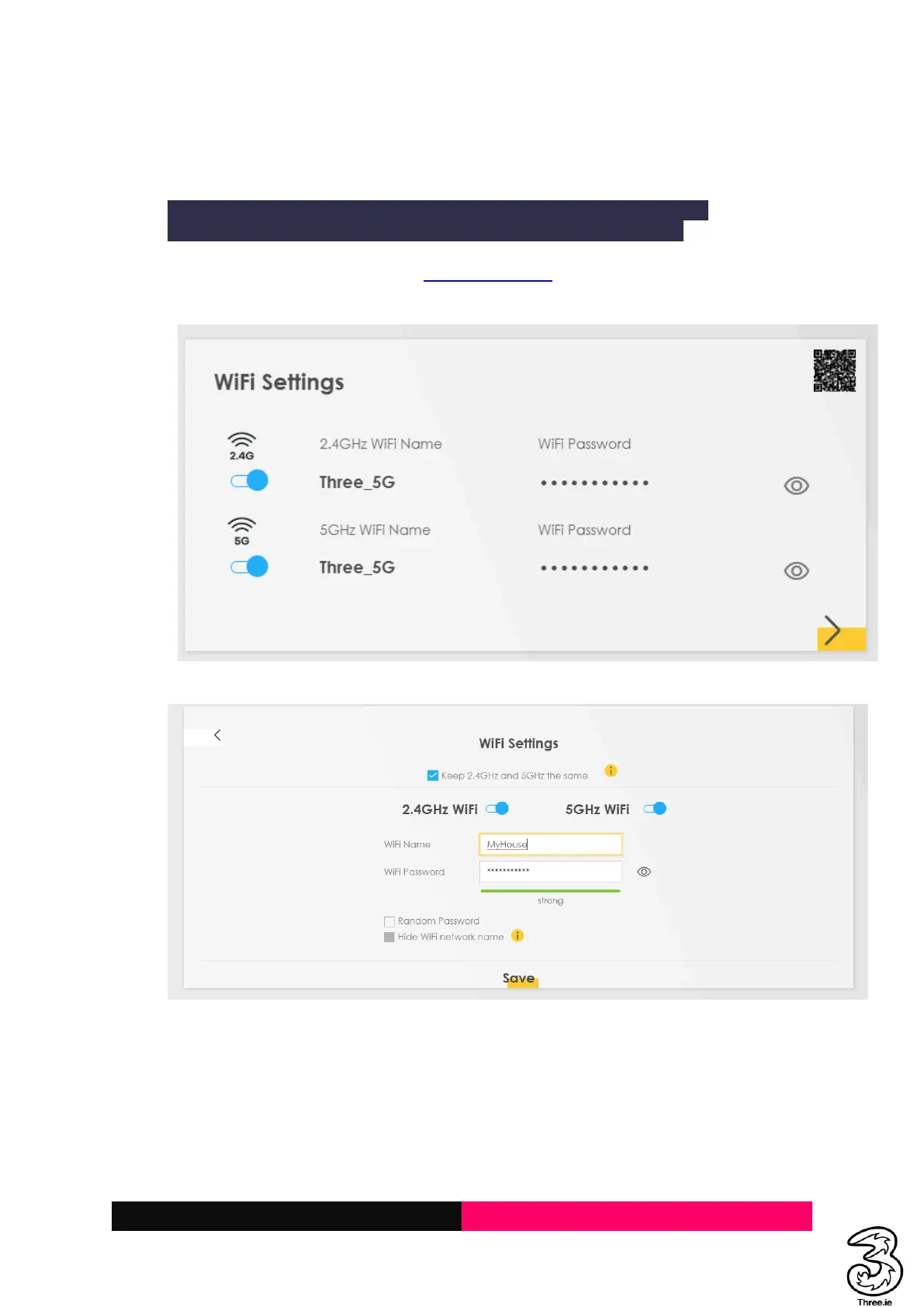
3.2 Change the Wi-Fi Name/SSID: Name of the device to connect to (e.g., you do not
want Three_XXXX and wants to rename it to e.g., MyHouse)
Resolution:
Performing the below action will disconnect all connected devices to the Wi-Fi.
You must manually reconnect the devices to the new Wi-Fi Network Name.
a. Login to the Admin UI web page http://192.168.1.1, and locate the Wi-Fi Settings on the
home page as below
b. Click on the Wi-Fi Settings and change the WiFi Name (SSID) and Save



 To Next Page