3.3 Forgot the Wi-Fi Password/Key
Resolution:
Performing the below action will disconnect all connected devices to the Wi-Fi.
You must manually reconnect the devices to the new Wi-Fi Network using a new password.
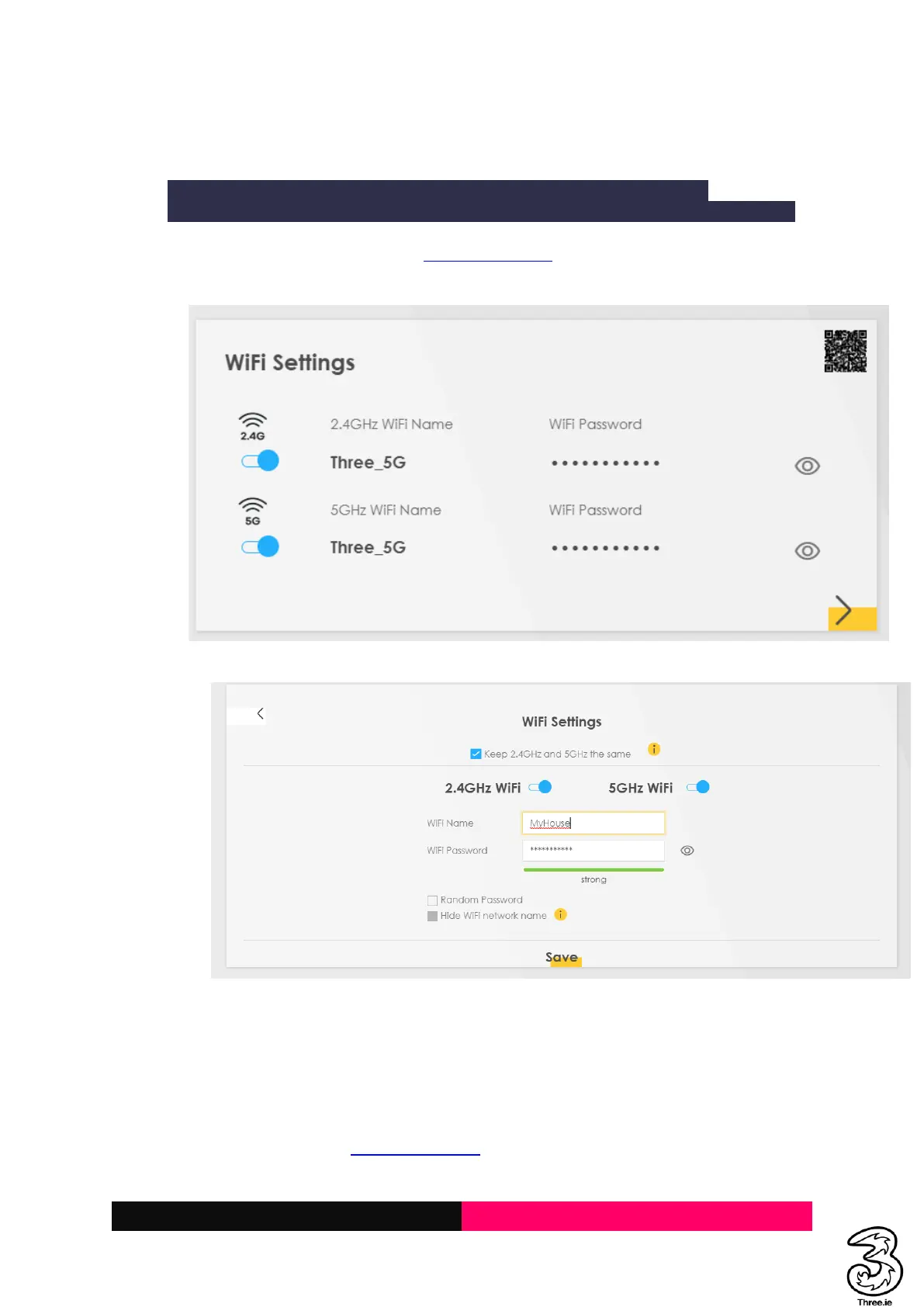
a. Login to the Admin UI web page http://192.168.1.1, and locate the Wi-Fi Settings on the
home page as below
b. Click on the Wi-Fi Settings and change the Wi-Fi Password and Apply
c. The new Wi-Fi password can be used to connect to the Wi-Fi network
3.4 Parental Control: How to restrict a child from connecting to the network (Parent
can stop children from connecting to the internet within specified date/time)
Resolution:
a. Login to the Admin UI http://192.168.1.1
b. Select the Hamburger menu on the top right



 To Next Page