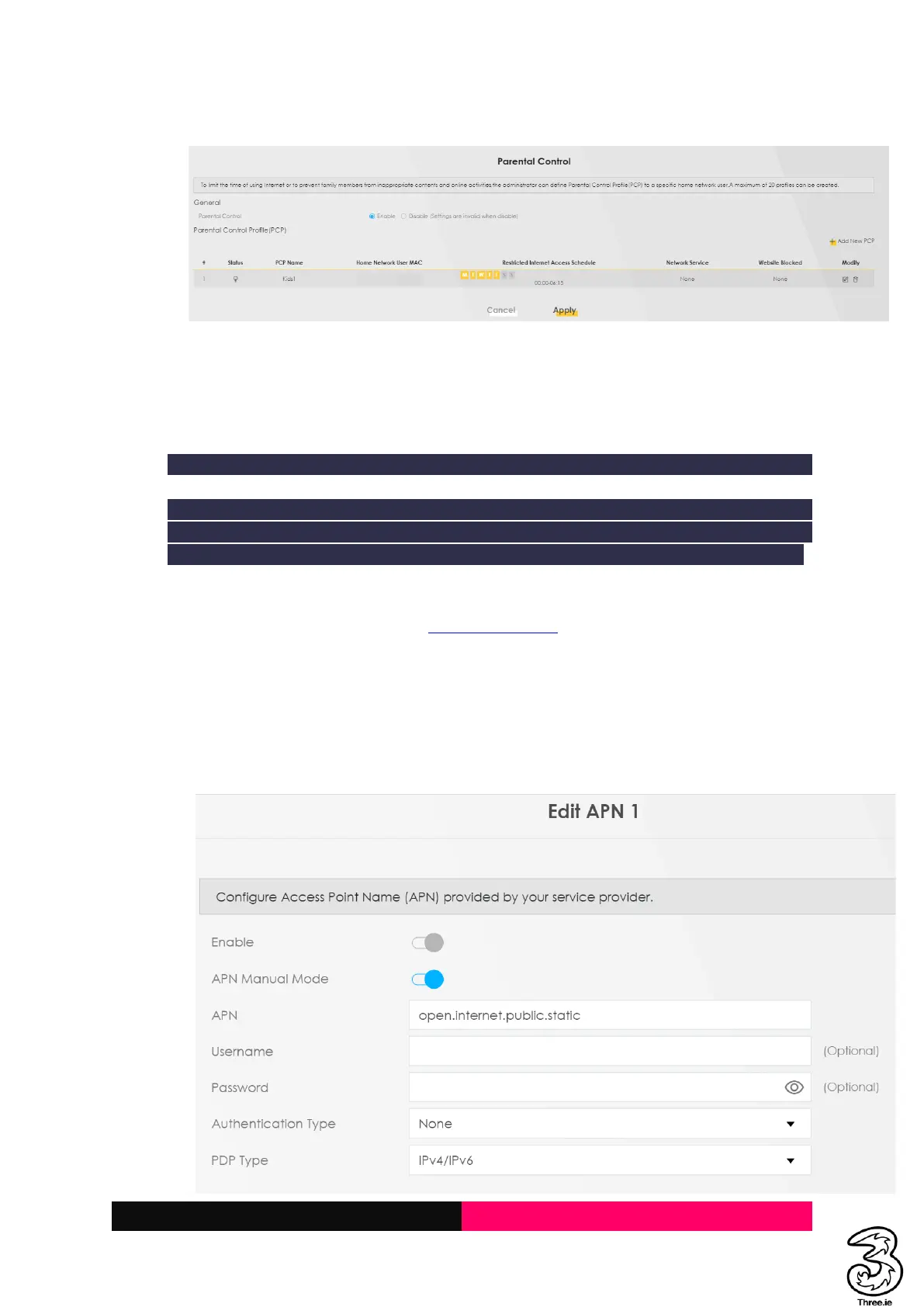
h. Enable the Parental Control setting under the General section as below and Apply
For removing or deleting the rule
i. Click on the Delete icon to remove the specific rule OR Disable the rule under the General
section and Apply
3.5 Provisioning or Setting up a Static IP
Note: Static IP addresses are only available for users on specific business broadband plans.
By default, the modem dynamically assigns a local IP address to the devices you connect to
your local network. You may need a static IP address for devices that will need to be accessed
very reliably by other systems or devices on your network, such as a printer, data server, etc.
Steps:
a. Login to the Admin UI Web Page http://192.168.1.1
b. Select the Hamburger menu → Network Settings → Broadband → Cellular APN
c. Click on pencil icon under Modify header → Enable APN Manual Mode
Set Below Parameters
APN: open.internet.public.static
PDP Type: IPv4/IPv6
Select OK



 To Next Page