Steps Static IP for Business Users with Private Static IP assigned:
d. Log in to the Admin UI Web Page http://192.168.1.1
e. Select the Hamburger menu → Network Settings → Home Networking → Static DHCP
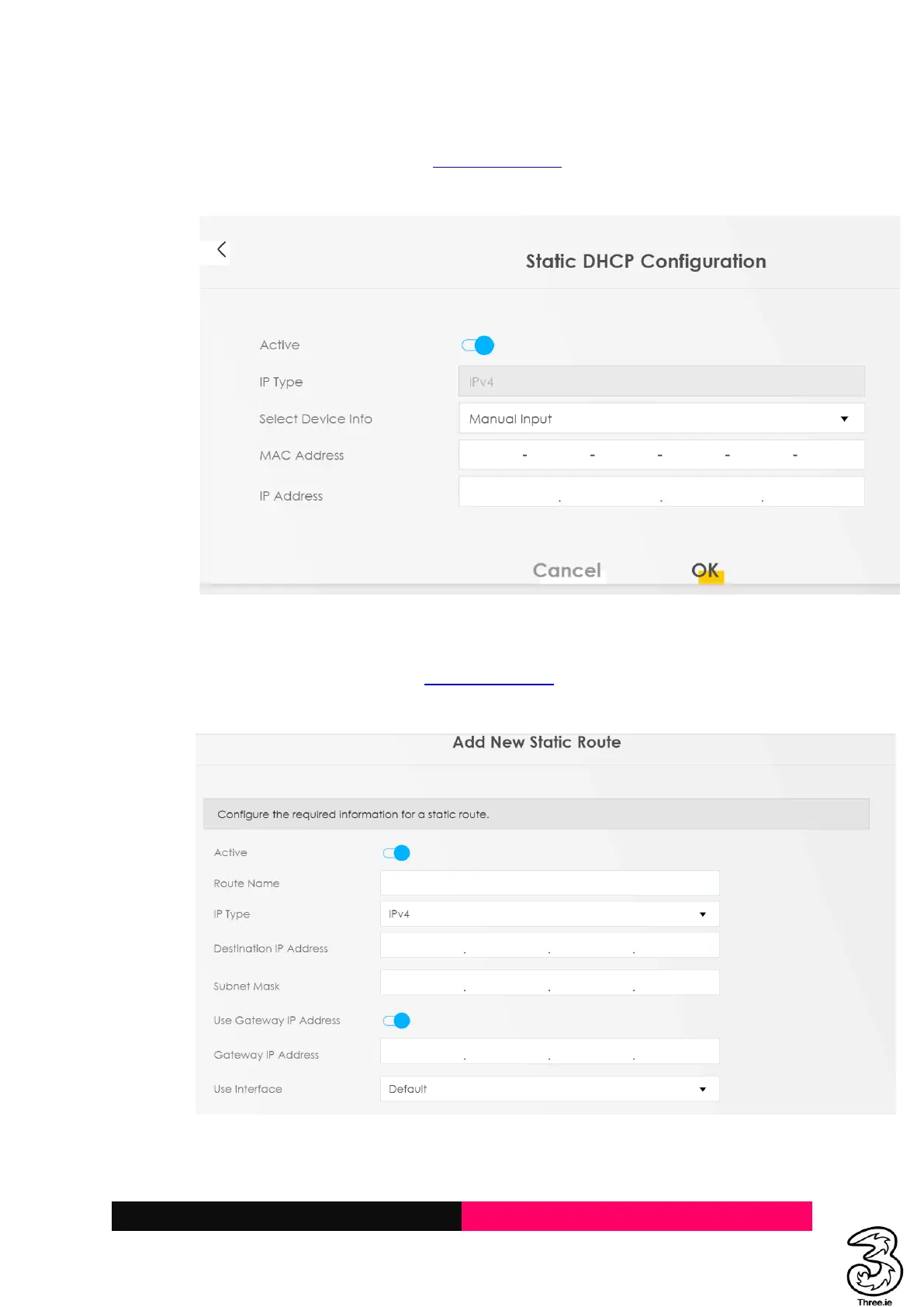
f. Select +Static DHCP Configuration → enable Active and enter desired settings → OK
Static Routing (if required)
a. Login to the Admin UI Web Page http://192.168.1.1
b. Select the Hamburger menu → Network Settings → Routing → Static Route
c. +Add Static Router → and enter desired setting → OK



 To Next Page