3.6 Update Firmware
Updating the firmware will not change any customized settings.
Steps:
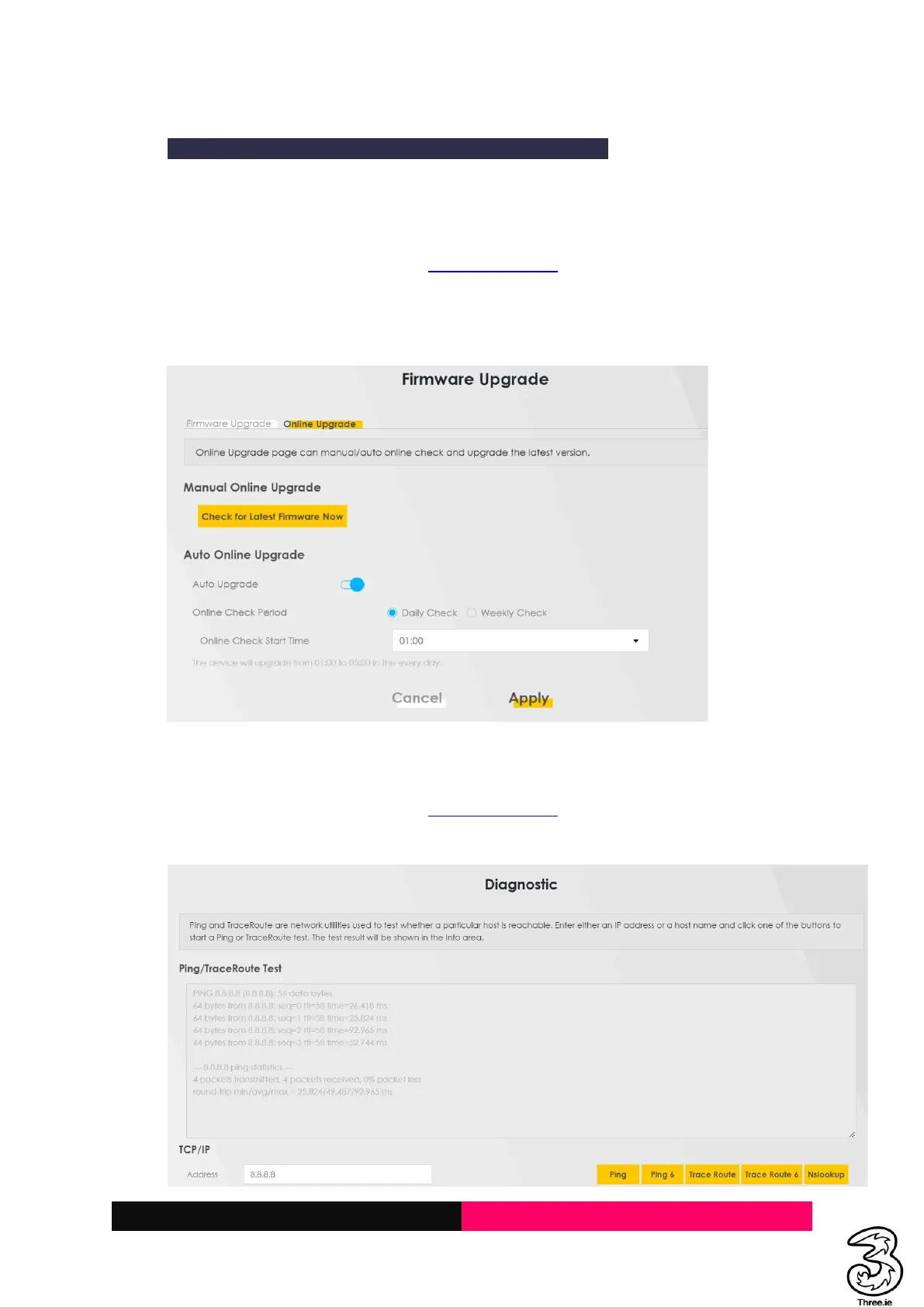
a. The device will check for an upgrade every night between 02:00 and 04:00 and will auto-
upgrade (follow the below steps to manually check if any upgrades are available)
b. Log in to the Admin UI Web Page http://192.168.1.1
c. Select the Hamburger menu → Maintenance → Firmware Upgrade → Online Upgrade
d. Click Check for Latest Firmware Now
e. If the update is available upgrade the device (The indicator lights will turn off/rapidly blink
and the device will upgrade to the latest firmware in a few minutes)
3.7 Diagnosis
Steps:
a. Log in to the Admin UI Web Page http://192.168.1.1
b. Select the Hamburger menu → Maintenance → Diagnostic
c. Enter the IP in the text field and select Ping or Telnet to test the connectivity



 To Next Page