4.3 What steps does a user take if they have a “red light” – not registered on the
Network?
Steps
Follow Sections 1 and 2.
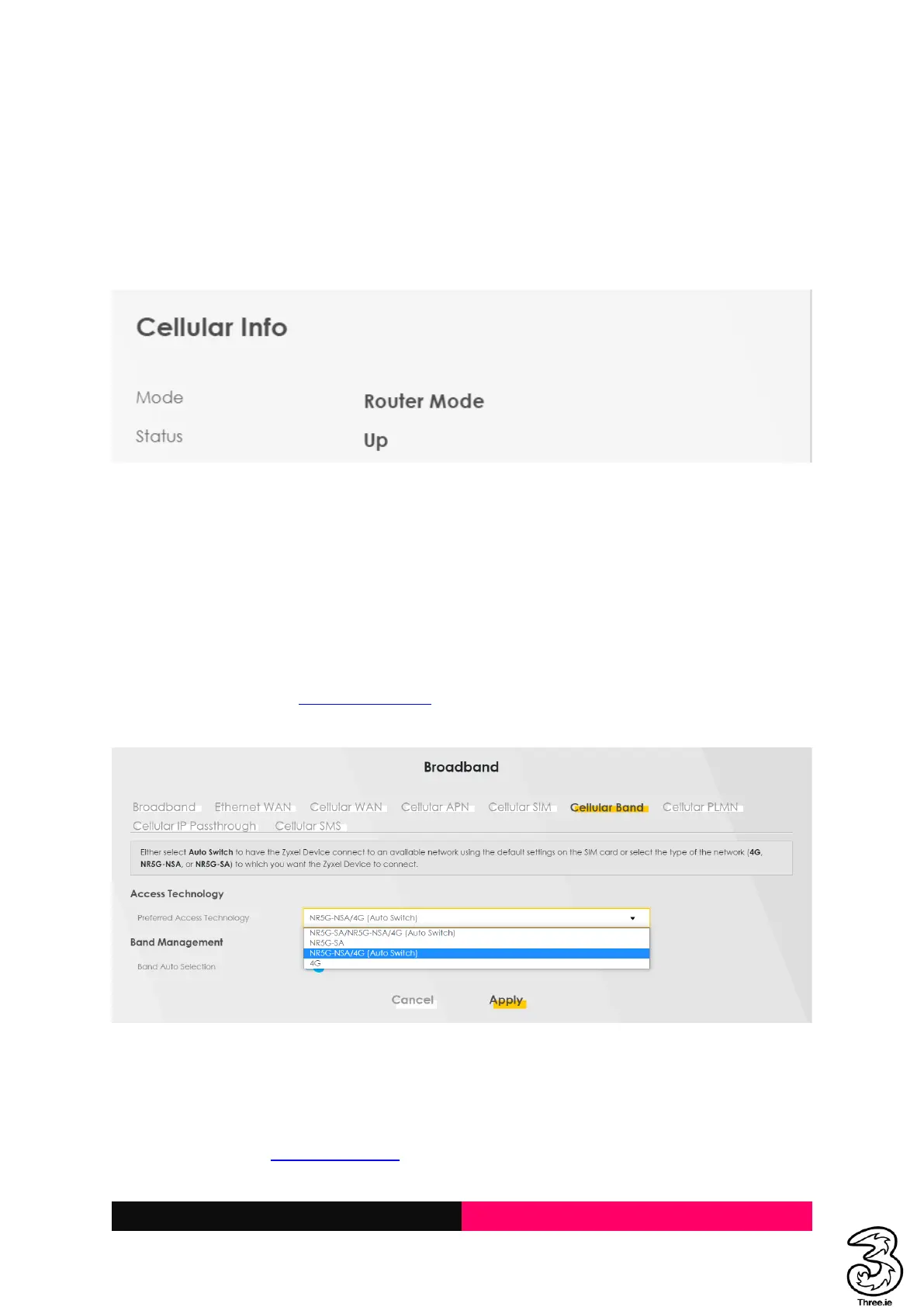
Check if the SIM was inserted properly, and the Device Status information is visible on the Admin
Dashboard.
If the Cellular Info card displays No SIM Card detected, then re-insert the SIM card correctly.
4.4 Does this hub pick up the 3G signal? If so, how to toggle between 5G/4G/3G –
useful when there is a 5G outage.
Steps
The device supports 5G and 4G only.
Log in to Admin UI http://192.168.1.1 → Hamburger Menu → Broadband → Cellular Band
Select the desired Technology and Apply
4.5 How to check how much data is being used, so where is data usage found on
the dashboard?
Steps
Log in to Admin UI http://192.168.1.1 → Hamburger Menu → System Monitor → Traffic Status



 To Next Page