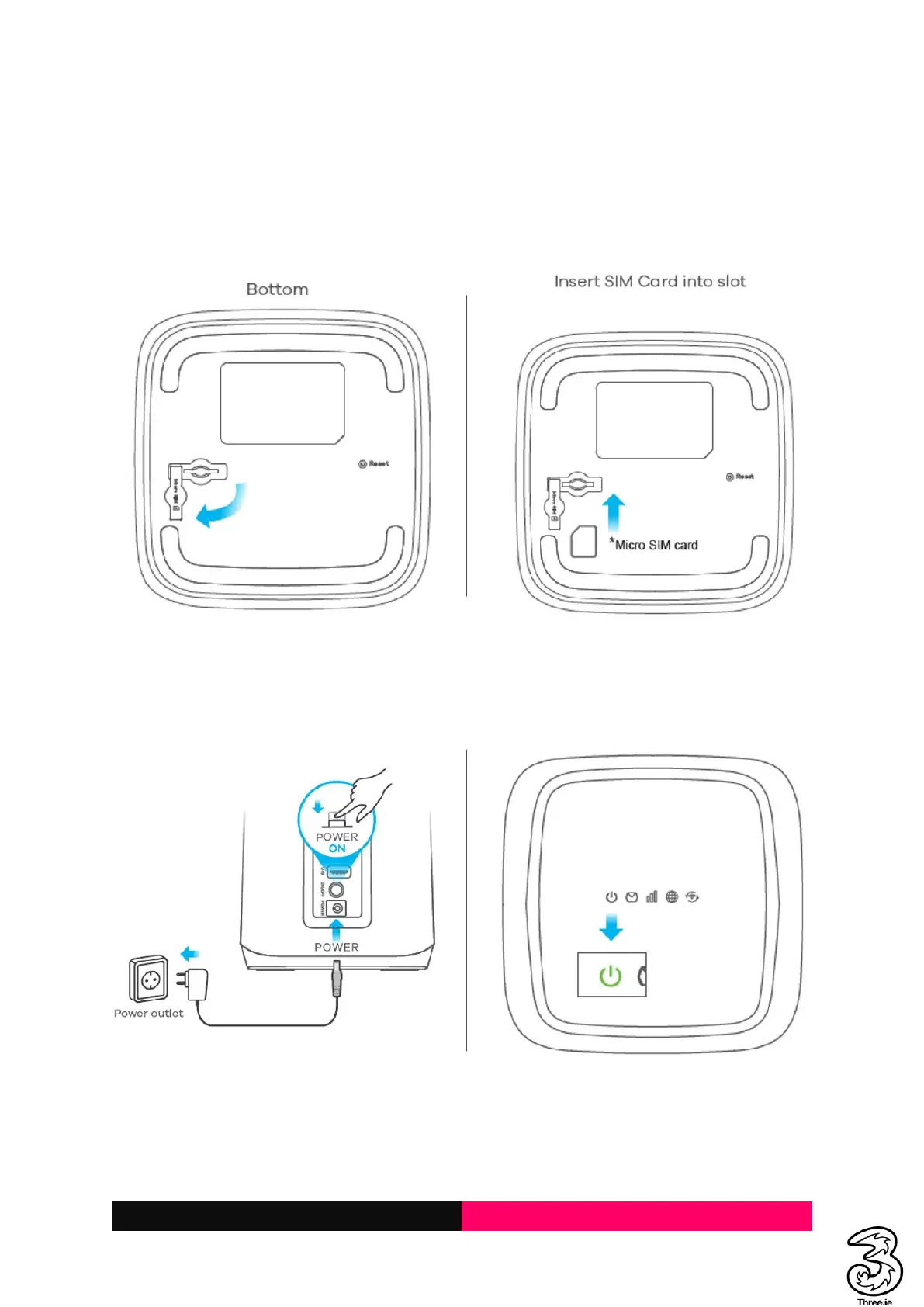
1.1 Inserting the SIM
To access the Internet through the cellular network from the Smart Hub, you need to install a valid
micro-SIM card first.
1. Turn over the Smart Hub to get access to the base. Open the slot cover.
2. Insert the micro-SIM card as shown.
1.2 Powering On/Off Your Device
Connect the AC adapter/power cable from the Smart Hub to a wall power outlet. Press the power
button on the back of the device. The switch should be switched to the Internal Antennae. Check the
power LED is ON.
Note: To power off without disconnecting the cable or the adapter, press the power button. Press the
power button again to switch on the device and monitor the LEDs on the top of the device.



 To Next Page