THUNDER LASER NOVA-
35
www.thunderlaser.com DONGGUAN THUNDER LASER EQUIPMENT
CO.,LTD
tech@thunderlaser.com Shatian Town, Shatian Dadao, Mintian
Tel :(86)769 826653 Dongguan City, Guangdong Province,
China
3. After machine finish resetting, adjust the height of working table, place the material
usually on the top left corner of the working table.
① Click Z/U button;
② Select “Z move”;
③ Left arrow to move down;
④ Place the material;
⑤ Right arrow to move up;
4. With the help of the focus ruler, adjust the focus distance to 6mm between the bottom
of laser head and the material manually by move up and down the working table.
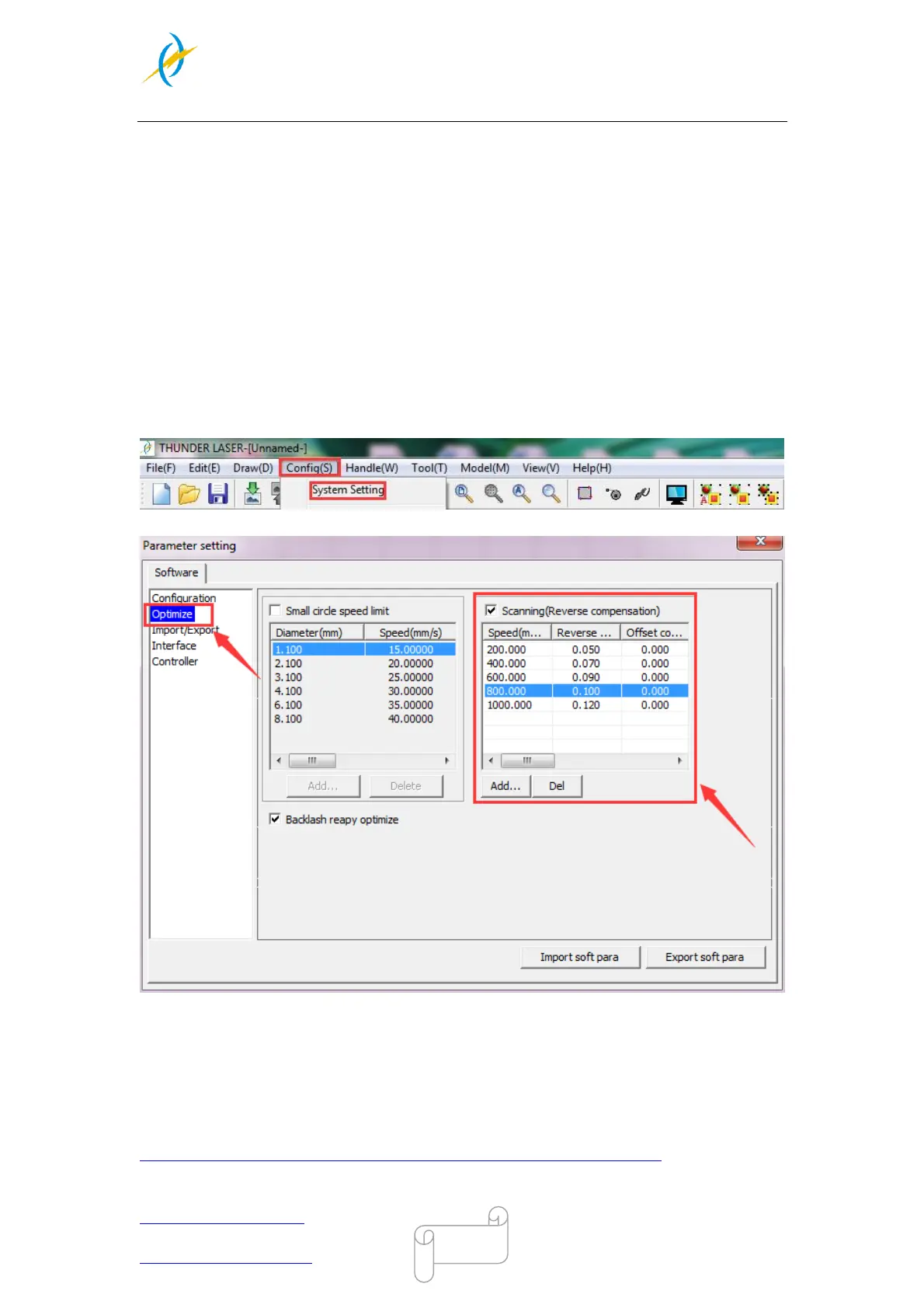
Open the software RDworksV8.First to set up the values on the “Scanning(Reverse
compernation)” check box.
5. Open Config(s)>>system setting>>Optimize>>Scanning(Reverse compensation),and
there are some default values on the “Scanning(Reverse compernation)” check box.
The particular values are showing with a picture in the USB flash drive and on the
Anodized aluminum piece that came with your machine.
Save those setting on the “Scanning(Reverse compernation)” check box.
6. Create sample text for engraving directly on RDworks, then set up the parameter and
download the file to your machine.
More details for how to use software please watch the instruction video below.
https://www.thunderlaser.com/video/how-to-use-your-laser-software.html



 To Next Page