29
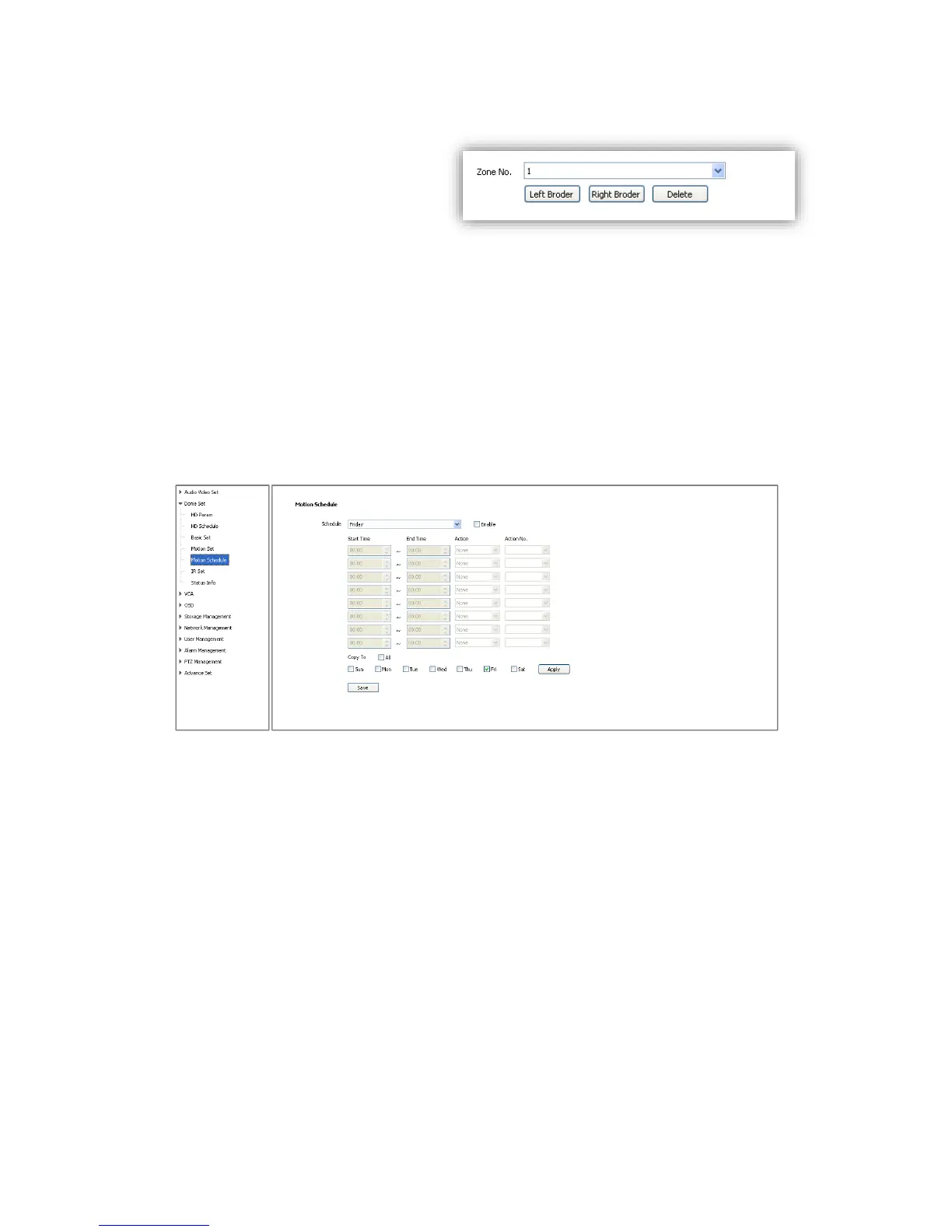
6.2.4.5 Zone No.
<Zone No.>The speed dome camera
supports 8 zones, range from 1-8.
<Left Border> Move the speed dome
camera to the target position and
set it as the left border of the zone.
<Right Border> Move the speed dome camera to the target position and
set it as the right border of the zone.
<Delete>Delete the target zone.
<Set Origin>Move the speed dome camera to the target position and set it as original point of
the coordinate.
<Set North>Move the speed dome camera to the target position and set it as north direction of
the coordinate.
6.2.5 Motion Schedule
Activate different motion (Presets, Scan, Cruise and Pattern) for different time period.
<Enable> Enable the setting.
<Start Time>Start time for the motion.
<End Time>End time for the motion.
<Action>Motion in this time period.
<Action No.>Motion number, Preset 1-8, Scan 1-4, Cruise 1-4, Pattern1-4.
<All>Enable every day in a week, including Saturday and Sunday.
<Apply>Click to copy the configuration to the selected day.
<Save>Save all the setting.



 To Next Page