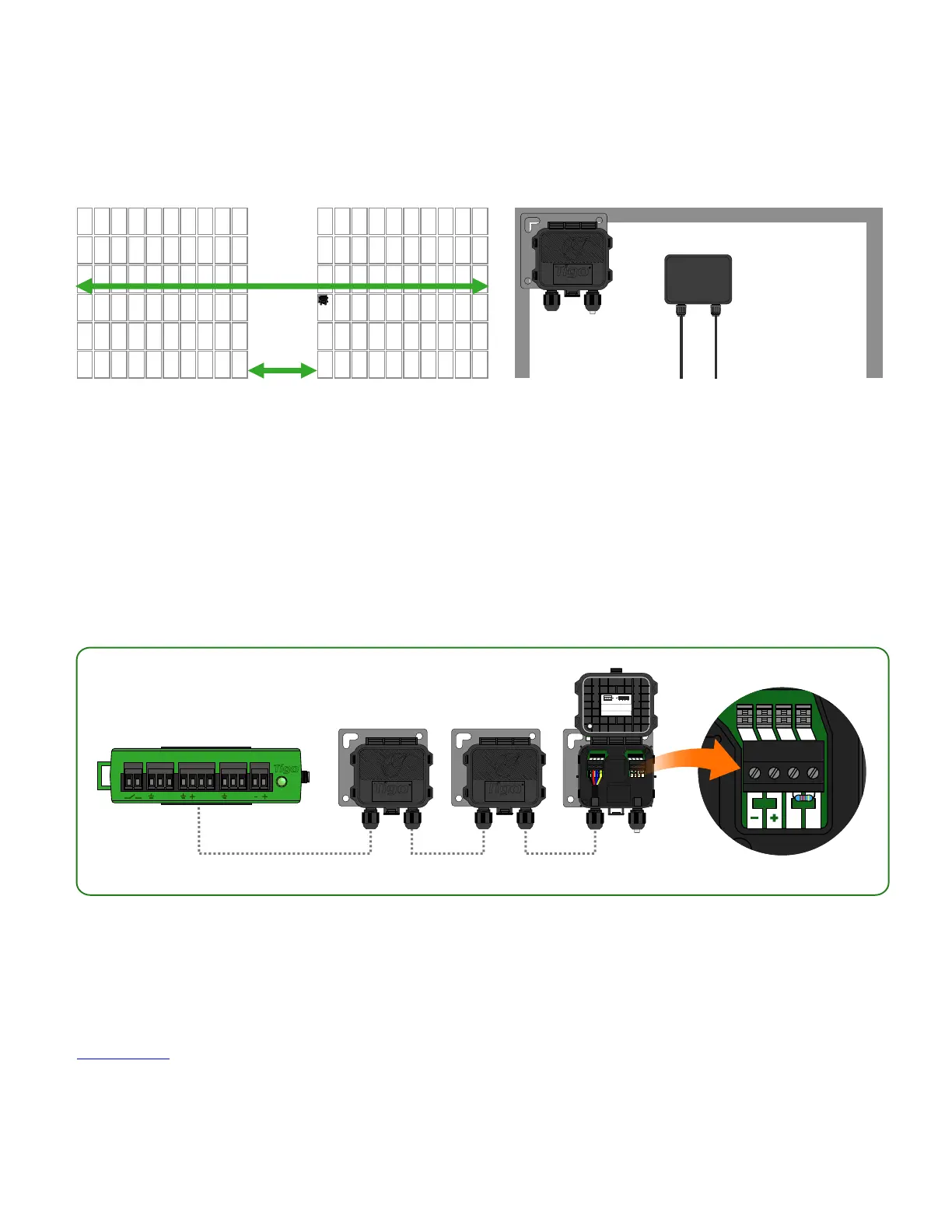
TAP INSTALLATION -
MESH CONFIGURATION
18
TAP attaches to module frame using
built-in bracket. Mounting holes are
also available in case of frameless
modules.
Place TAP within 10m of any TS4 unit in the
array, with a maximum distance of 10m
between TS4 units and 35m from TAP to
farthest TS4.
33ft (10m) max
Connect multiple TAP units in series and leave terminating resistor in final TAP only.
Use 4-conductor RS485 (18-22 AWG) cable between TAP and CCA.
Click here for more information on TAP placement.
access point
access point access point
PWR PWRDATA DATA
Patented,Designed inUSA, Assembledin China
Thisproduct containsa wirelessmodule inside.
TechnicalSupport:
FCCID: XNNSILICONAIR2
ICID: 11021A-XNNSILICONAIR2
OperatingVoltage:
24VDC
NEMA3R IP68
FlexMLPE
www.tigoenergy.com
Tigo AccessPoint (TAP)
P/N:158-20000-00
USAtoll-free +1.844.805.8550
EUROPE(Chat)+39.342.67.92.285
Allother +1.408.402.0802
Quick connectors:
press wire into terminal
OR
Connector blocks:
use screw terminals
Remove resistor to connect
another Access Point in series.
-
+
B
A
IN OUT
B BA A
B A B A B A
AUX RS485-1 RS485-2GATEWAY POWER
accesspoint
230ft (70m) max



 To Next Page