SELECT EQUIPMENT
27
Requires active mobile data connection
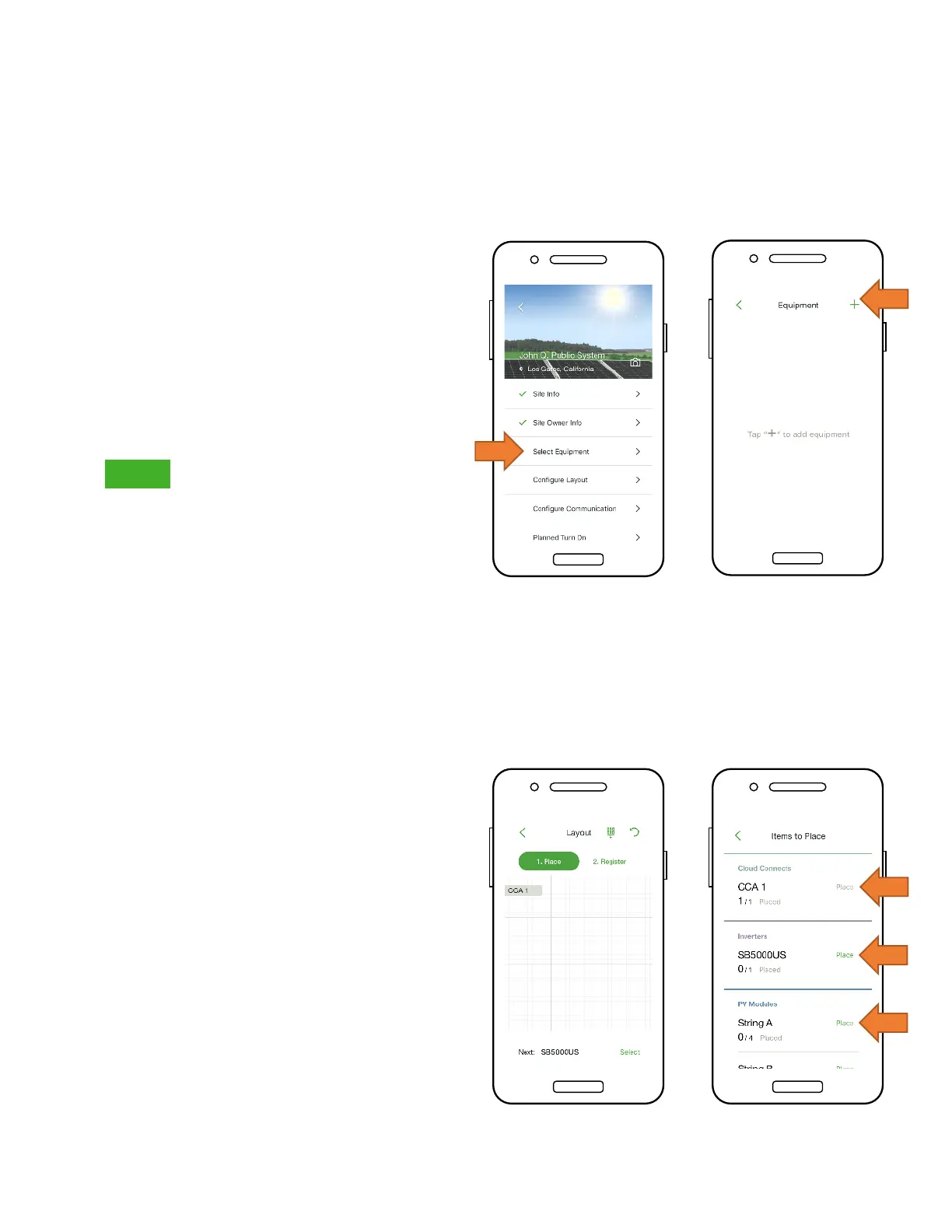
• Go to ‘Select Equipment’
• Tap ‘+’ at the top right of the
display to add equipment
• Choose the inverter model,
the number of MPPTs, and the
associated CCA
• Select the manufacturer and
model of the PV modules
• Note: If using an inverter or
module not in the list, click the
‘+’ sign at the top right corner
• Place the CCA by tapping on
a position on the Layout grid
• Tap ‘Place’ next to an
equipment type to place it on
the grid
• Repeat for all CCAs and
inverters



 To Next Page