EasyManua.ls Logo

Time2 MIP11 - Page 12

Time2 MIP11
24 pages
Print Icon
To Next Page IconTo Next Page
To Previous Page IconTo Previous Page
Loading...
- 12 -
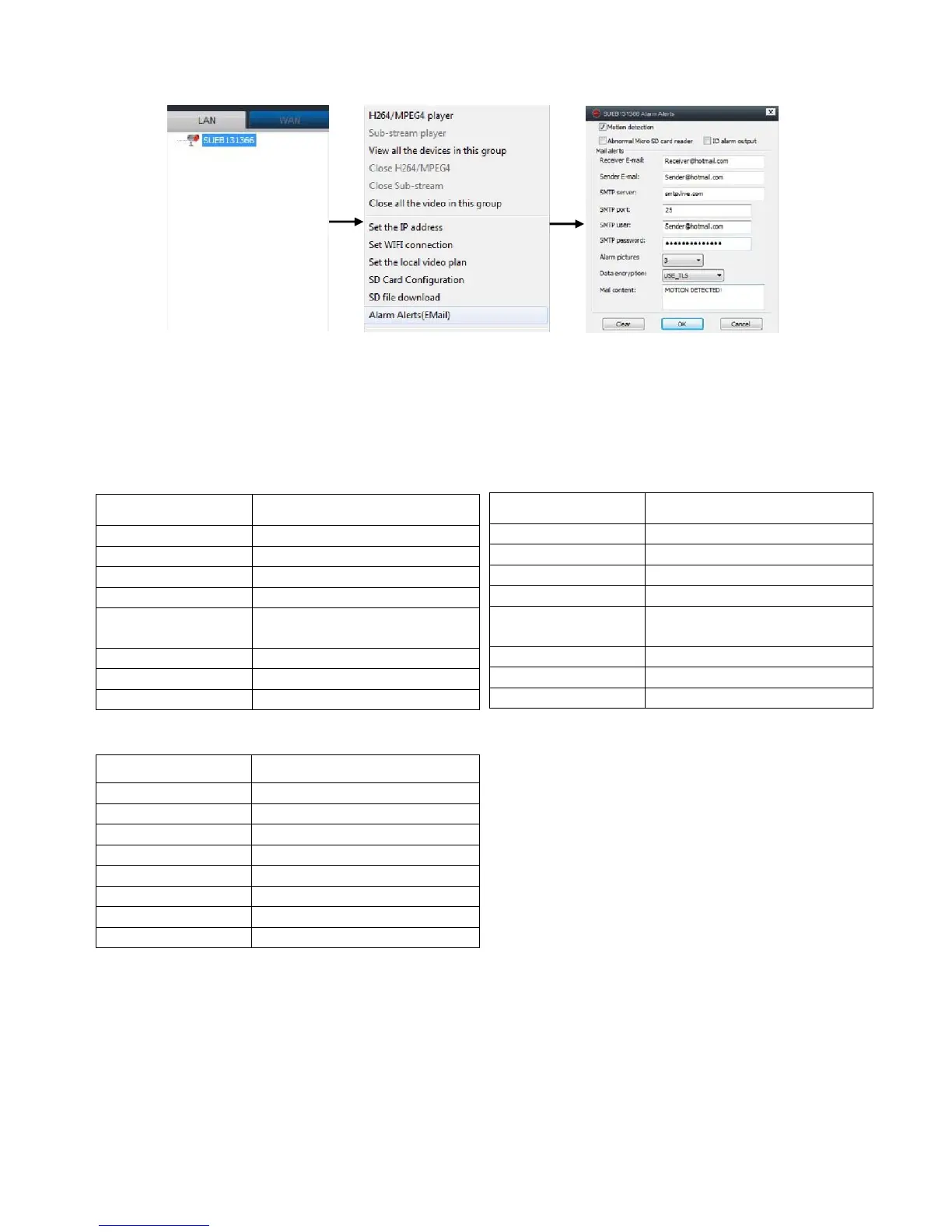
Important: Motion detection can only be set up with Hotmail, Yahoo
and Gmail email addresses.
Please see below for following details required:
Upon completion, the motion detection will have been activated and
when the camera detects movement, it will automatically send out an
email alert. If for any reason you do not receive an email. Please check
your Sensitivity settings (See section for managing camera settings)
Yahoo
Receiver email Your email

Sender email Your email
@
Yahoo.com
SMTP Server Smtp.mail.yahoo.com
SMTP Port 465
SMTP User Your email (Do not include
@Yahoo.com
SMTP Password Your email password
Alarm Pictures Optional
Data Encryption USE_SSL
Gmail
Receiver email
Your email
Sender email
Your email @gmail.com
SMTP Server
Smtp.gmail.com
SMTP
Port
587
SMTP User
Your email (Do not include
@gmail.com)
SMTP Password
Your email password
A
larm Pictures
Optional
Data Encryption
USE_TLS
Hotmail
Receiver email Your email
Sender email Your email @Hotmail.com
SMTP Server Smtp.live.com
SMTP
Port 25
SMTP User Your email @Hotmail.com
SMTP Password Your email password
Alarm Pictures Optional
Data Encryption USE_TLS

Other manuals for Time2 MIP11