- 23 -
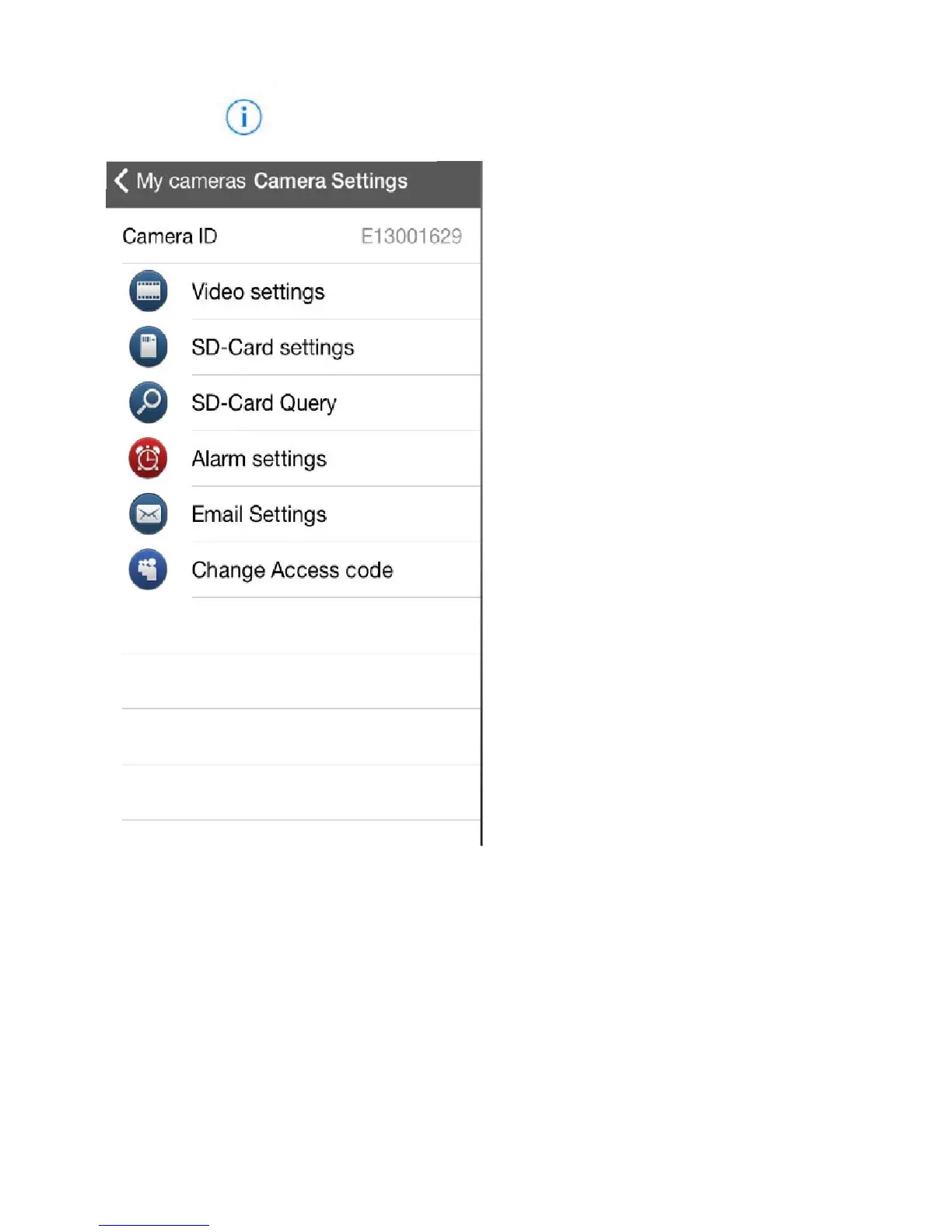
Click the icon to bring up the Camera settings.
Video settings – Edit the main
settings of the viewing frame e.g.
quality, resolution, frame scale
and brightness etc
SD-Card settings – Change the
recording settings to save on SD
card. Please note: this is only
applicable to the HD version of
the camera
SD-Card Query – Change the SD
card files
Alarm Settings – Change the
motion detection settings (e.g.
how many images you would like
emailed to you, alarm sensitivity
etc.)
Email Settings – Set up motion
detection
Change access code – Change
the access code on the camera.


 To Next Page