PK-232 MBX – OPERATING MANUAL FACSIMILE OPERATION
4/91 9-5 108
common setting you will use for WEFAX, but other services may require using other values
to print pictures without aspect ratio distortions.
9.7 Transmitting FAX
The PK-232 does support FAX transmission, but attempting to do this without a Timewave
HF Wefax or n AEA's PC-PAKRATT II WITH FAX program is difficult. We recommend you con-
sider this program if FAX transmission is desired.
9.8 Adjusting the PK-232 4.0 MHz Master Oscillator
If you ever observe the received FAX from a Commercial station does not print or display
straight up and down the page, your 4.00 MHz oscillator inside the PK-232 has probably
drifted off frequency. If you have a frequency counter with a high-impedance input, you
may do the following:
Step 1: Open the PK-232 by removing the six screws that hold the gray top-chassis in place
and separate it from the bottom chassis.
Step 2: Reconnect the PK-232 to your radio, computer, printer, and to +13 VDC, then turn it
on, and allow it to warm-up for 30 minutes.
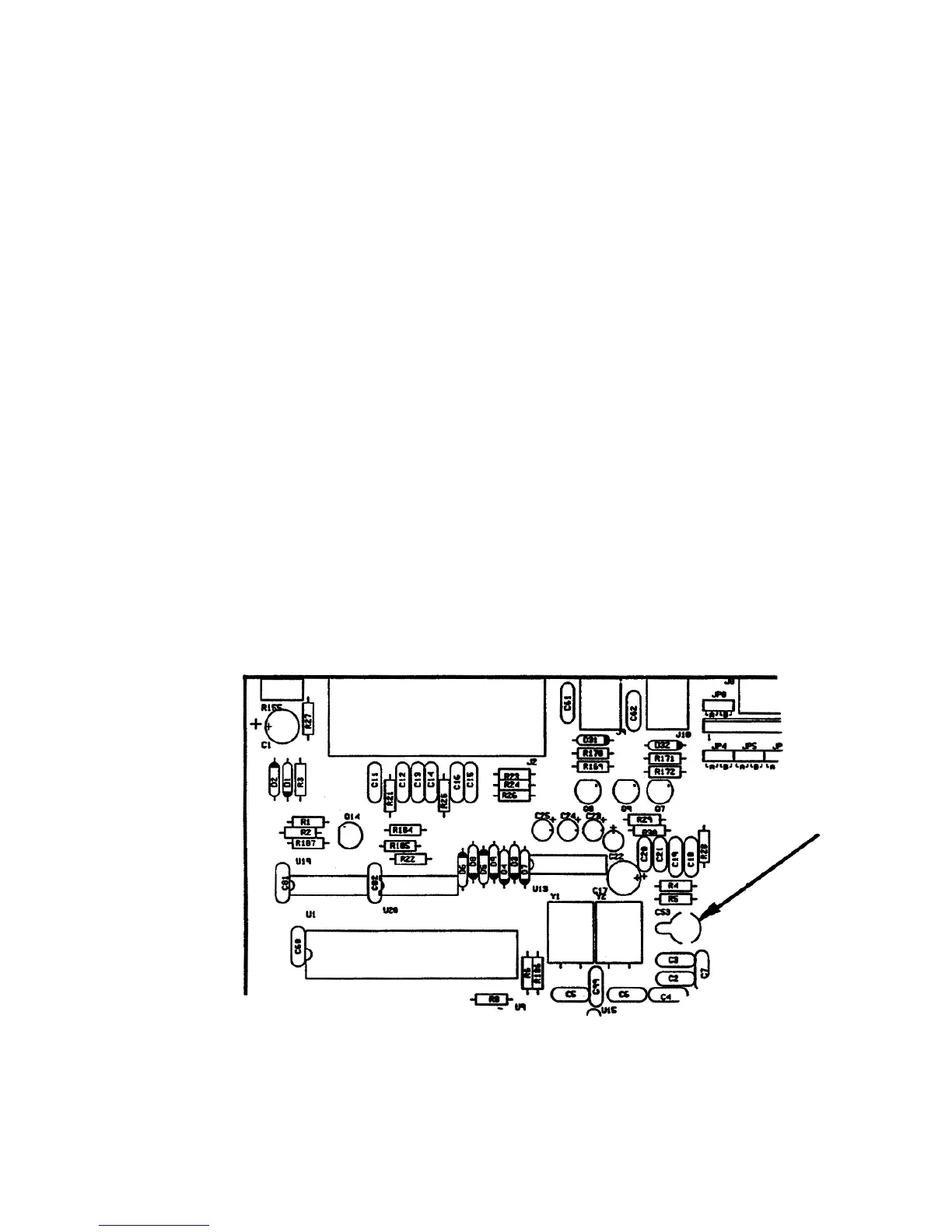
Step 3: With the help of Figure 2 below, locate the variable capacitor C53 in the left-rear
quadrant of the PK-232 circuit board. It is located immediately to the right of Q1 and Q2.
Step 4: Place the probe of the frequency counter on pin-6 of the Z80 microprocessor which
will provide a strong square-wave clock signal.
Step 5: Adjust C53 until the counter reads 4.00000 MHz ± 10 Hz.
Figure 2: PK-232 circuit board layout showing the location of capacitor C53



 To Next Page