PK-232 MBX – OPERATING MANUAL PACKET-RADIO
4/91 4-23 58
The last two of these commands are the most important. If you fail to set the VHF para-
meter to OFF, the VHF modem will remain on and you will not be able to copy packets.
Similarly, if you do not set the Packet baud rate (HBAUD) to 300, you will be operating at
a different speed than everyone else and not be able to copy any packets. You should set
MONITOR to 6 when you first try to tune in HF Packet.
4.7.3 HF Receiver Settings
Set your HF receiver (or transceiver) to Lower Sideband (LSB) unless you connected your
PK-232 through the direct FSK keying lines, in which case you should select the FSK oper-
ating mode. Adjust the volume to a comfortable listening level.
4.7.4 Tuning-in HF Packet Stations
Perhaps the most difficult thing about HF Packet operation is making sure the station you
are talking to is tuned properly and stays tuned.
Since HF Packet uses 200 Hz Frequency Shift Keying to send data (2110/2310 Hz), tuning
accuracy is very important. Being off frequency by only 20 Hz makes a noticeable differ-
ence in the PK-232's ability to copy Packet stations. Follow the tuning procedure below
carefully for the best results in tuning in HF packet stations.
o Make certain your HF receiver is either in LSB or FSK depending on your PK-232 set-
up.
o Turn any IF-Shift and Passband-Tuning controls to the Center or OFF position.
o Tune your receiver to 14.103 MHz (or another frequency where you know there is
HF Packet activity) and listen to the packets.
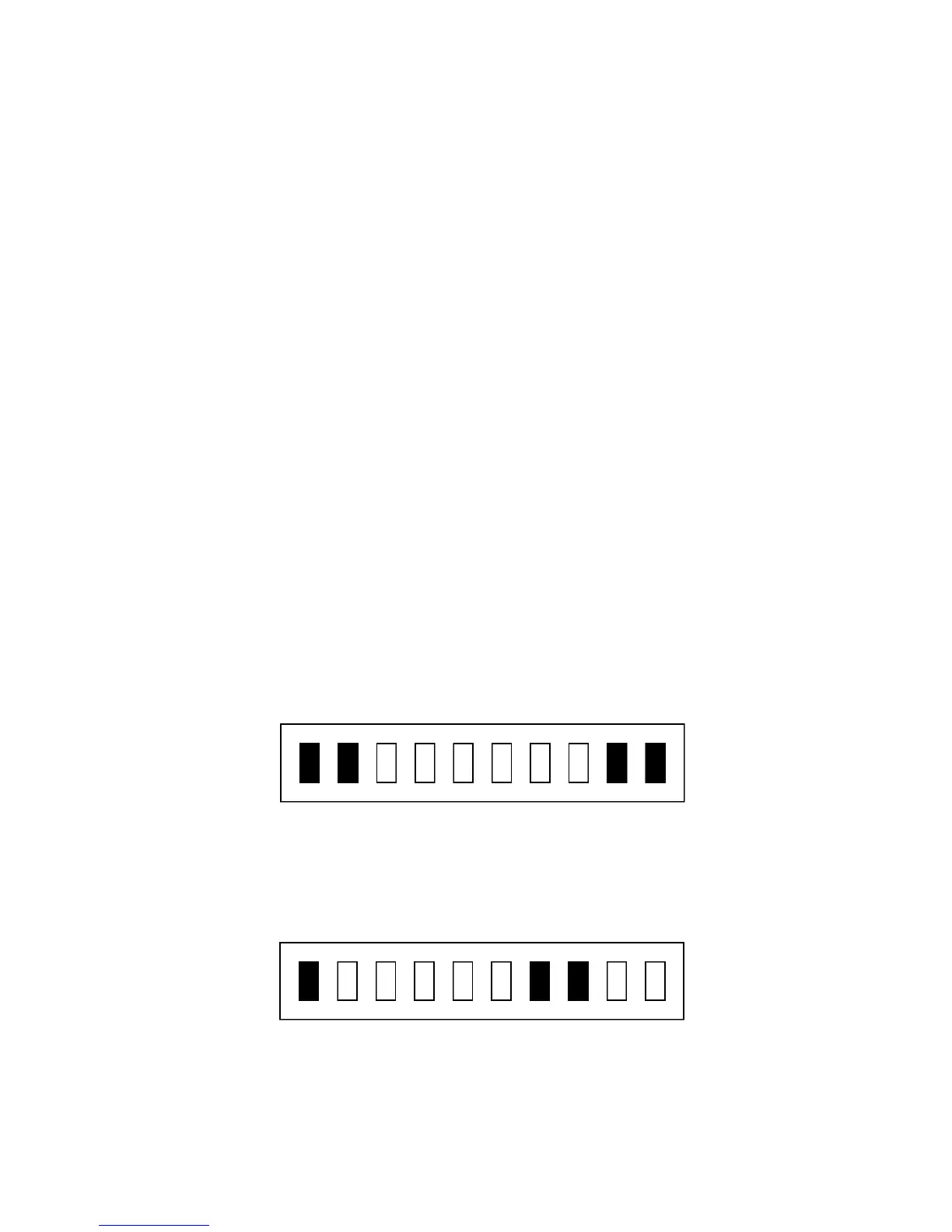
o Slowly vary VFO tuning knob on your receiver and look for a display on the PK-232
tuning indicator like the one shown below.
Tuned In
If the tuning indicator looks like the one below, the frequency from your speaker is
too low for the PK-232 to copy packets. Slowly tune the VFO and make the fre-
quency higher.
Frequency Too Low
If the tuning indicator looks like the one below, the frequency from your speaker is
too high for the PK-232 to copy packets. Slowly tune the VFO and make the fre-
quency lower.



 To Next Page