PK-232 MBX – OPERATING MANUAL PACTOR OPERATION
2/93 11-3 115
o Tune your receiver carefully between 14.065 and 14.085 MHz (or another band
where you know there is Pactor activity) and listen for the one second data burst of
ARQ Pactor or the steady data of the unproto mode stations. Be sure that the
THRESHOLD CONTROL is turned far enough clockwise to activate the DCD LED dur-
ing the data burst.
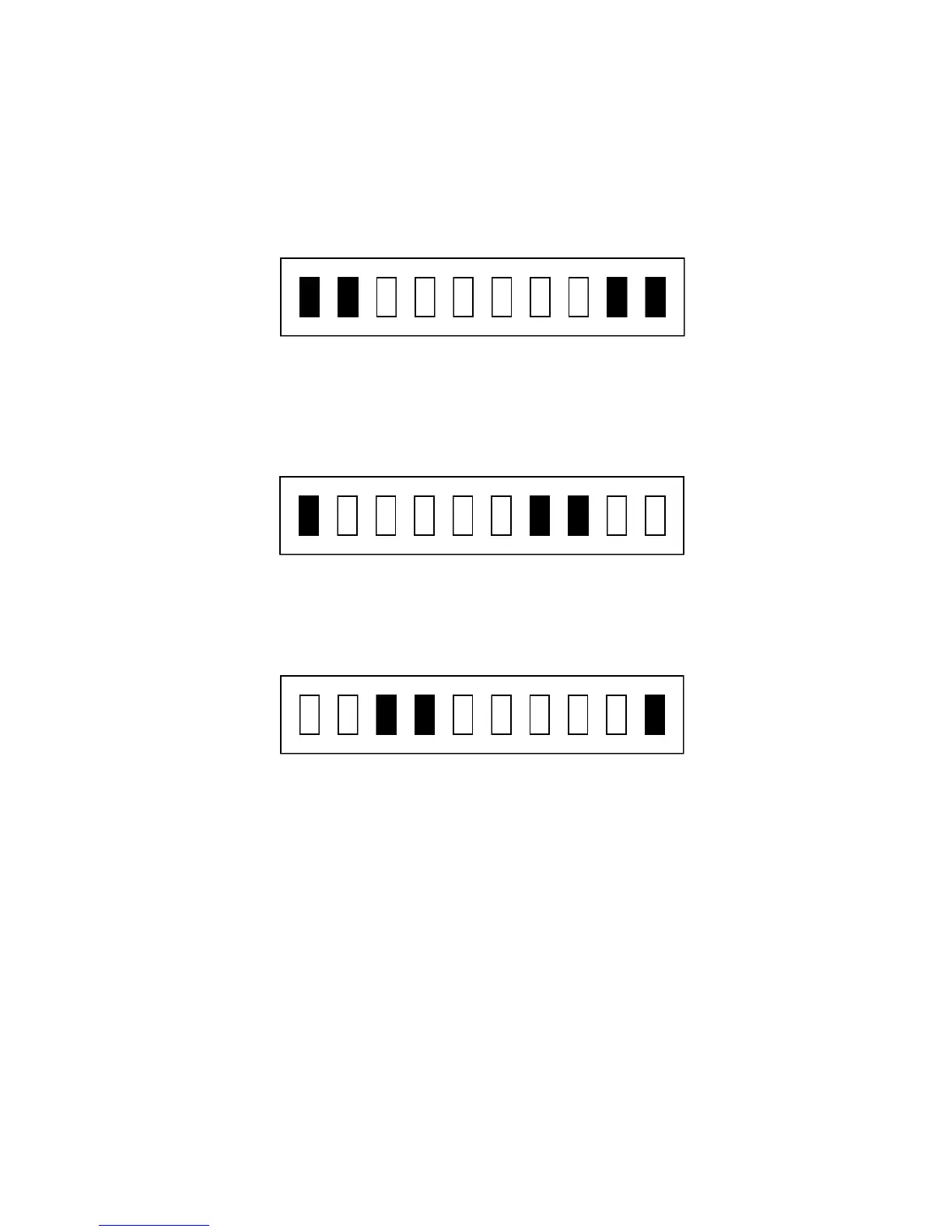
o When you find a station, slowly vary the VFO on your receiver and look for a display
on the PK-232 tuning indicator as shown.
Tuned In
If the tuning indicator looks like the one below, the frequency from your speaker is
too low for the PK-232 to copy packets. Slowly tune the VFO and make the fre-
quency higher.
Frequency Too Low
If the tuning indicator looks like the one below, the frequency from your speaker is too high
for the PK-232 to copy packets. Slowly tune the VFO and make the frequency lower.
Frequency Too High
o Adjust the PK-232 front panel THRESHOLD control so that the DCD LED lights when
a properly tuned Pactor station is being received.
After you have a Pactor station tuned in, you should start seeing the copy on your screen.
11.6 Operating on Pactor
Make sure your PK-232 is adjusted for your SSB transmitter as described in section 2.4.3 of
this manual before transmitting. These are very critical adjustments. If your PK-232's APSK
level and transmitter microphone gain are not adjusted properly, other stations will not be
able to copy your signals. Check your plate or collector current or the power output of your
rig before transmitting.
11.6.1 Going on The Air
Make sure your transmitter and antenna are tuned and adjusted for the band and operat-
ing frequency you are using. Before you transmit, you must decide if you are going to
"call CQ" or answer someone's CQ call.



 To Next Page