PK-232 MBX – OPERATING MANUAL COMPUTER INSTALLATION
4/91 2-2 17
WATCH CLOSELY FOR THE FOLLOWING:
At power-on the four LEDs on the left of the PK-232 should light for 1 second and
the BAUDOT LED should then light and remain lit.
If this occurs, then switch OFF the PK-232 and move on to section 2.3.
If no LEDs light then re-check the above steps to insure that 12-14 VDC is available at the
power plug and the center pin is POSITIVE.
If any LEDs other than the BAUDOT LED light then the PK-232 has probably been initial-
ized. If the PK-232 has been initialized it is ready to communicate with a computer or ter-
minal at a specific baud rate (probably 300, 1200, 2400, 4800 or 9600 bits/sec). If you
know what this baud rate is then you should continue with the installation at section 2.3
keeping this in mind.
If you do not know what baud rate the PK-232 has been initialized to then you should re-
move the Lithium battery jumper JP1 from the Berg posts which will reset the PK-232. To
do this, do the following:
o Disconnect power and all cables from the PK-232 and turn the unit upside down.
o Locate the hole immediately behind the RADIO 1/RADIO 2 switch.
o With needle-nose pliers or a tweezers gently lift the shorting jumper up off the Berg
Posts.
o Wait approximately 2 minutes to insure that the memory has "forgotten" the old pa-
rameters.
o Carefully replace the jumper over the posts.
If the above did not restore proper operation of the PK-232 frontpanel LEDs, then contact
Timewave Technical Support Department as described in the front of this manual.
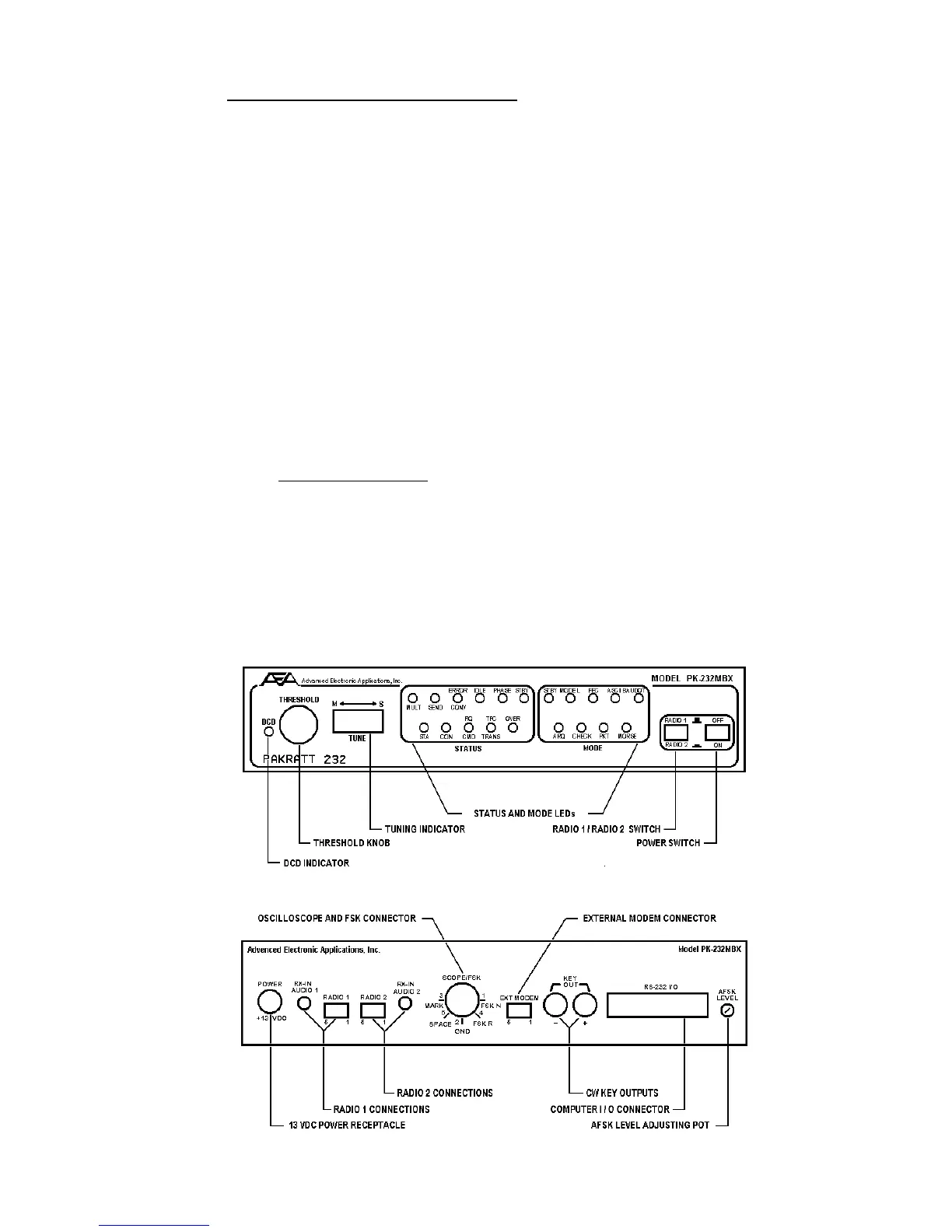
Figure 2-1 PK-232 Front Panel Controls and indicators
Figure 2-2 PK-232 Rear Panel Connections and Controls



 To Next Page