Interval Timer
The Interval Timer Mode allows you to set two countdown times that can
be repeated in sequence as a training or event reminder. Those reminders
can signify when to run or walk, or when to sprint or jog.
NOTE: If you set either interval to zero, the watch will only count down the
non-zero interval setting.
19
Chrono Mode Notes & Tips
v Press MODE to switch to Time of Day Mode while running the
chronograph. The stopwatch icon W will appear to indicate the
chronograph is still operating.
v When you operate the watch in Chrono Mode with the heart rate
sensor, you will accumulate heart rate and peformance data in Review
Mode, including:
1. Amount of time your heart rate stays within your target heart rate
zone;
2. Average, peak, and minimum heart rates, calories burned, and
heart rate recovery for your workout.
3. The average heart rate for each recorded lap along with the lap
and split times.
v With the chronograph running along with the heart rate sensor, you
can change the Chrono Mode display by pressing HEART RATE.
Choose from:
1. Lap Time/Split Time;
2. Heart Rate/Split Time or Lap Time
3. Split Time or Lap Time/Heart Rate; or
4. Heart Rate only.
v Without the heart rate sensor, you can change the reset chronograph
format by pressing STOP/RESET/SET.
18
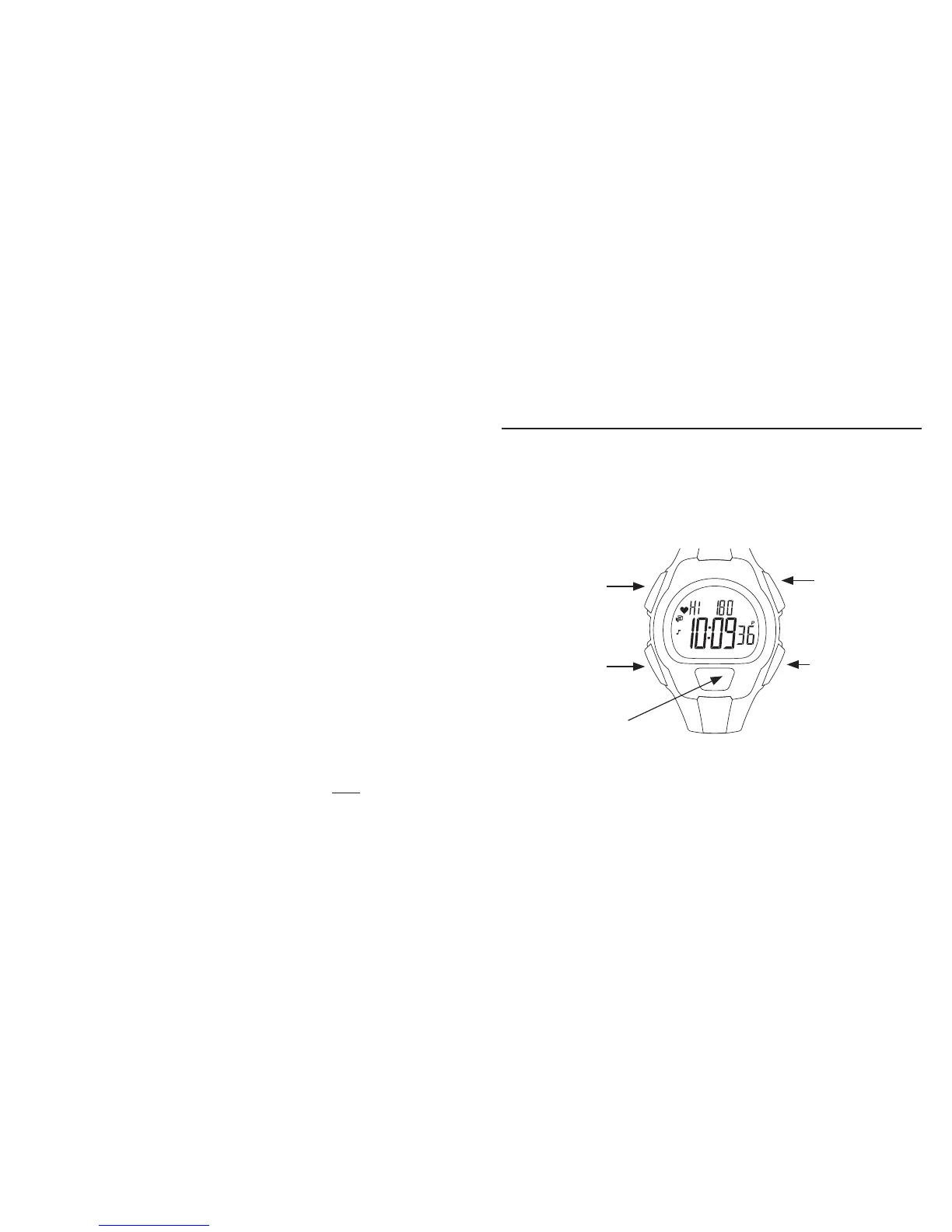
START/SPLIT
Press to increase or toggle
a setting item or start or
resume timing.
STOP/RESET/SET
Press to start or
complete the setting
process or pause or
reset the timer.
HEART RATE
Press to decrease or
toggle the setting item
or switch display views.
MODE
Press to move to
the next mode, digit
or setting group.
INDIGLO
®
BUTTON
Press to light the watch,
activate or deactivate
NIGHT-MODE
®
feature.


 To Next Page