To Set or Adjust the Time, Date, and Audibles
1. Press MODE until Time of Day Mode appears, showing the current
time.
2. Press and hold STOP/RESET/SET until the words HOLD TO SET briefly
appear on the display followed by SET TIME with the number 1 (or 2)
flashing in the lower right corner.
3. PRESS START/SPLIT (+) or HEART RATE (-) to toggle between the
primary (1) and secondary (2) time zones.
4. Press MODE (NEXT) to begin setting the time for the chosen time zone.
The time will appear on the display with the hour value flashing.
5. Make the desired adjustment as indicated in the tables on the next two
pages.
6. Press MODE (NEXT) to move to the next setting option.
7. Press STOP/RESET/SET (DONE) to save your changes and exit the
setting process.
NOTE: See the Time of Day adjustments described in the tables on the
next two pages.
11
Time of Day
Your watch can act as an ordinary timepiece, displaying the time, date,
and day for two different time zones using a 12- or 24-hour format. Note
that you must independently set the time of day for each time zone.
10
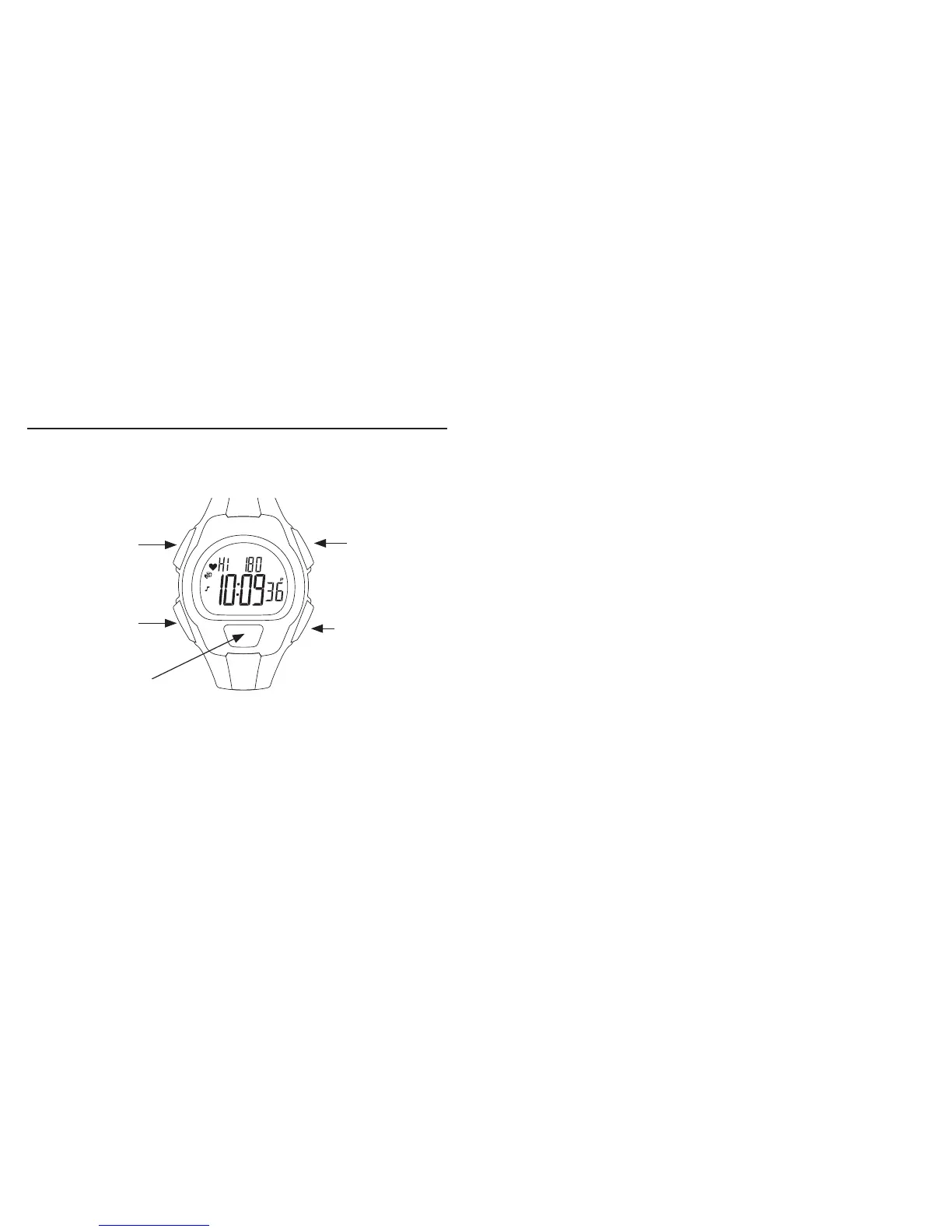
START/SPLIT
Press to peak at or switch
time zones or increase or
toggle the setting item.
STOP/RESET/SET
Press to start or
complete the setting
process.
HEART RATE
Press to activate
the Digital Heart Rate
Monitor, decrease or
toggle the setting item,
or switch display views.
MODE
Press to move to the next
mode, digit, or setting
option or group.
INDIGLO
®
BUTTON
Press to light the watch,
activate or deactivate
NIGHT-MODE
®
feature.


 To Next Page