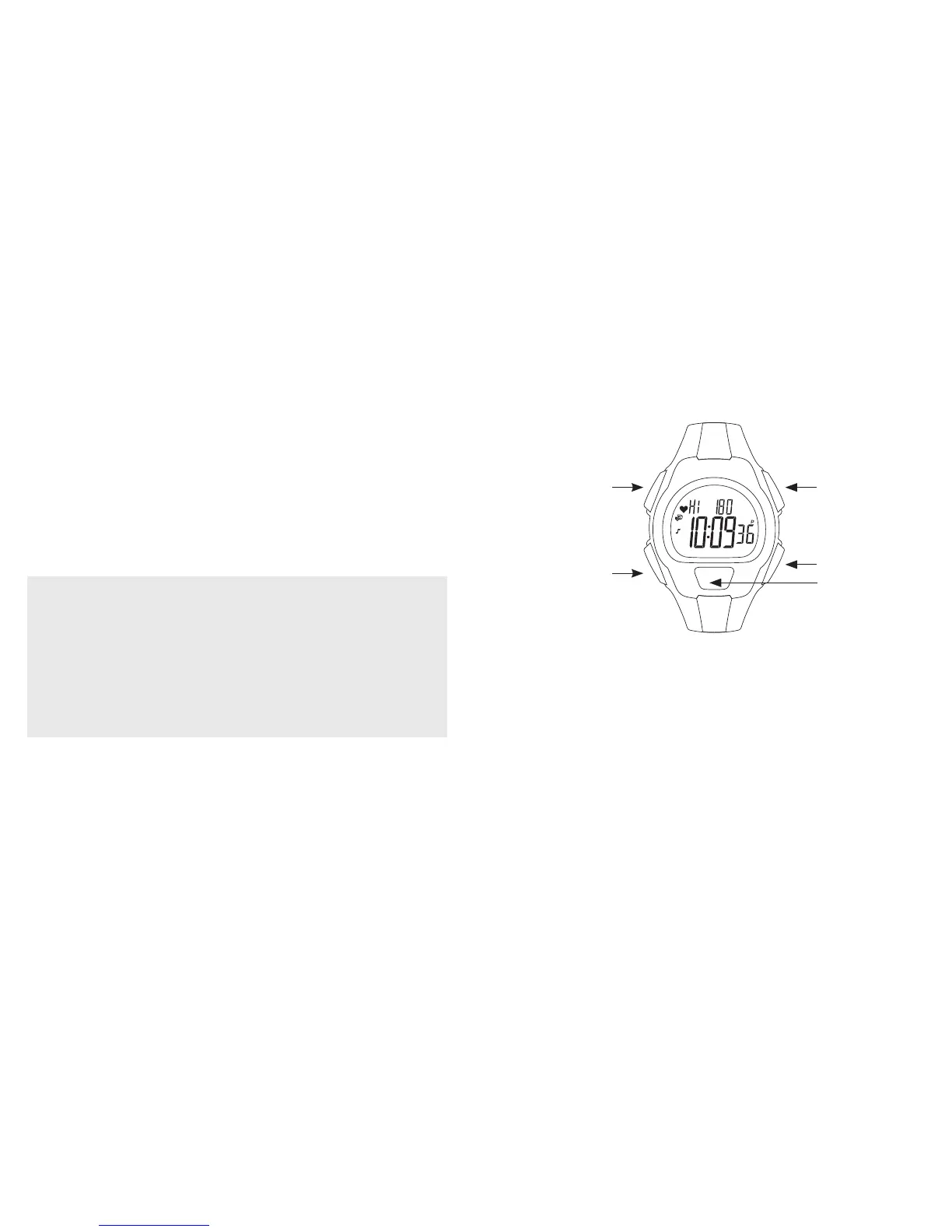
Watch Buttons
NOTE: The specific use for these buttons varies by mode. Refer to each
mode for more information on how to use the watch buttons.
INDIGLO
®
night-light with NIGHT-MODE
®
feature
In any watch mode, pressing the INDIGLO
®
button activates the INDIGLO
®
night-light and lights the watch face. If you press and hold the INDIGLO
®
button until you hear a beep, you can activate NIGHT-MODE
®
feature.
When the NIGHT-MODE
®
feature is activated, pressing any watch button
will light the watch face for a period of three seconds. NIGHT-MODE
®
feature will remain active for seven to eight hours after activation. To
3
Selecting the appropriate heart rate zone helps to condition the heart,
lungs, and muscles to perform at optimal levels to get and keep your body
in shape.
Once set, your Digital Heart Rate Monitor can automatically show you
when you are in the exercise zone you choose and signal you when you
are not. It can help keep your body exercising at an intensity level that can
help you achieve your desired fitness objectives without over- or under-
exercising.
WARNING:
This is not a medical device and is not recommended for use by
persons with serious heart conditions. Consult your physician
before beginning any exercise program.
Interference with the radio signal, poor contact between your skin and
the Digital Heart Rate Sensor, or other factors may prevent accurate
transmission of heart rate data.
2
HEART RATE
STOP/RESET/SET
MODE
INDIGLO
®
BUTTON
START/SPLIT


 To Next Page