10
Internet Radio Mode
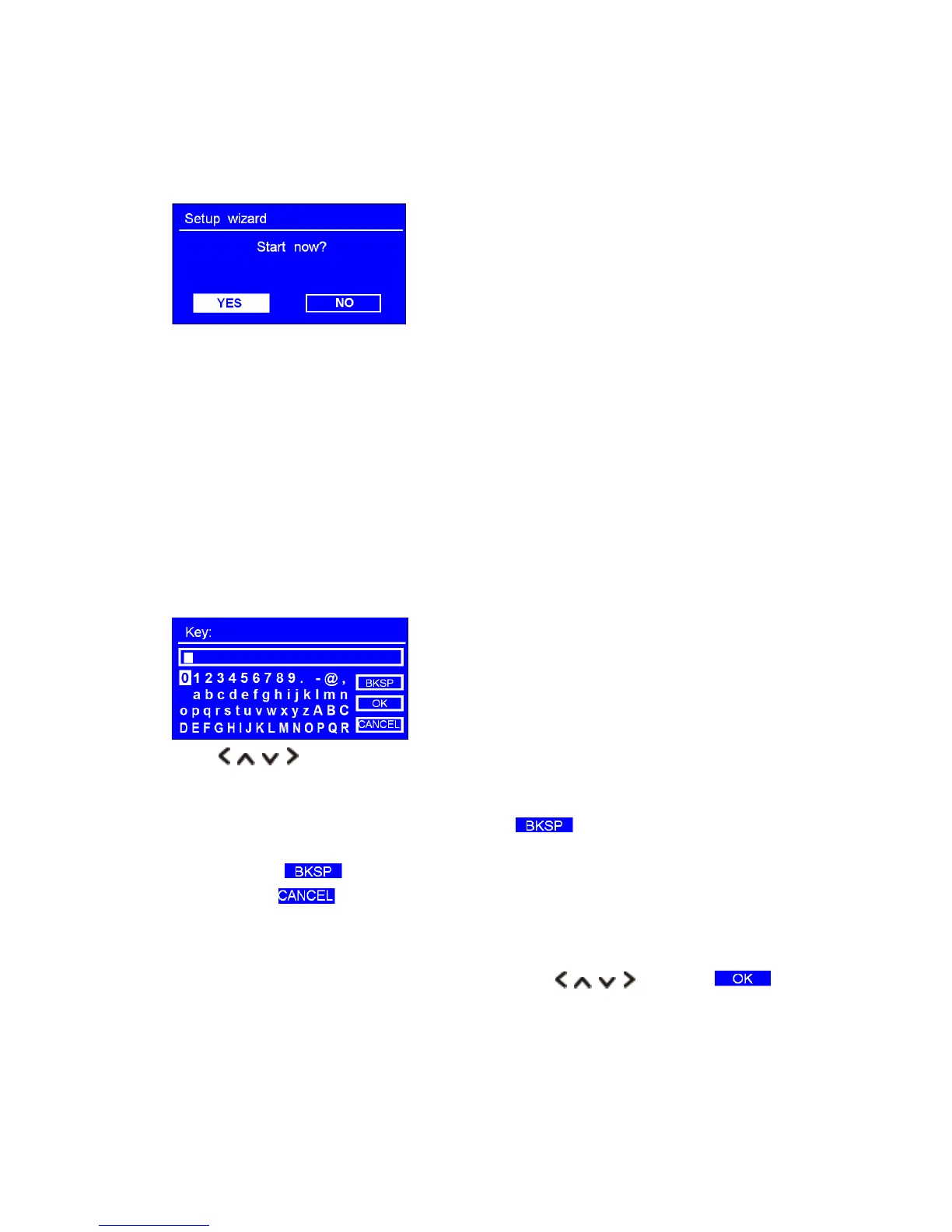
1. For initial use, the LCD display will show ‘Setup wizard’ screen.
2. Press OK button to confirm ‘YES' to start setup. Options in the setup wizard include the following:
Date/Time
Set 12 or 24 hour format
Auto update
Update from DAB
Update from Network
Select your time zone and daylight savings is needed.
No update
Set the date and time is needed.
3. If a WEP/WPA key (password) is required, the unit will require you to input the WEP/WPA code
and display the password entry screen as follows:
Press buttons to cycle through the alphanumeric character list, press OK button to
select an appointed character.
Note: WEP/WPA pass codes are case-sensitive.
If a wrong operation is being conducted, select ‘ ’ to delete designated
character.
Note: a.> = Backspace.
b.> means return to previous track.
c.> Radio will automatically save the WEP/WPA you’ve input, so no bother to re-enter
these codes.
After selecting the final character of your password, Press buttons to , and
then press OK button to confirm, and then follow your radio’s demonstration, press OK button
again to exit.
Note: If a password (WEP/WPA) isn’t required by your network, radio will connect to the network
automatically.



 To Next Page