The way of replacing batteries:
1. Open the battery compartment cover by using your
thumb downward push the bulge on the back of your
remote control.
2. Install 2pcs new alkaline batteries which are non-
rechargeable.
Note: do not reverse any battery and do not mix battery
types, also do not mix old and new batteries. When discard
your old battery, please considering eco-friendly.
3. Fit 2 batteries, referring to the markings direction inside
the battery compartment.
4. Cover the battery compartment door.
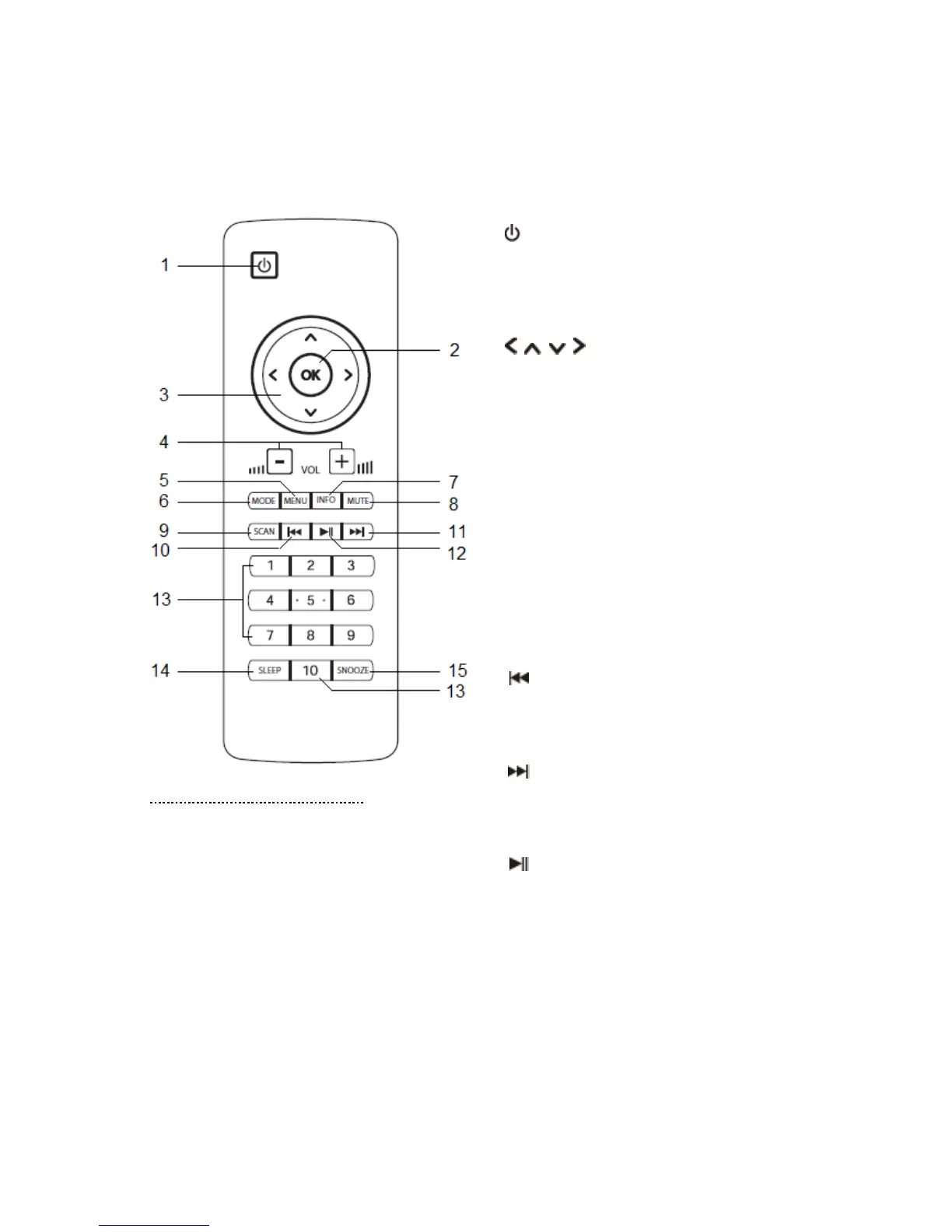
1. button
Press to switch on radio, press again to
switch radio to standby mode.
2. OK button
Press to confirm your selection.
3. buttons
Press to browse options.
4. VOL +/- buttons
Press to adjust volume.
5. MENU button
Press to display menu options.
6. MODE button
Press to switch among Internet, Music player,
DAB and FM mode.
7. INFO button
Press to view station information.
8. MUTE button
Press to mute radio, press again to pick up
sound.
9. SCAN button
Press to scan for DAB and FM stations.
10. button
Press to skip to previous track in Music player
mode.
Press and hold to rewind current track in
Music player mode.
11. button
Press to skip to next track in Music player
mode.
Press and hold to fast forwards current track
in Music player mode.
12. button
Press to pause/play current track in Music
player mode.
13. 1-10 buttons
Press and hold to save preset stations.
Press to recall a saved preset station
14. SLEEP button
Press to set up sleep time.
15. SNOOZE button
Press to active snooze function.



 To Next Page