Need help?
Do you have a question about the titathink TT522PW and is the answer not in the manual?
Guides on using the Titathink AnyScene app for iOS and Android devices.
Instructions for installing and using the CameraLive software on PC/Mac.
Steps for adding cameras via UID or QR code and managing them.
Explains controls for viewing live camera streams, including zoom and volume.
How to record video, capture snapshots, and manage playback within CameraLive.
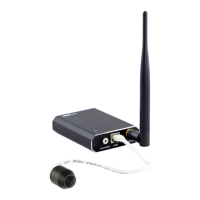
Provides a step-by-step guide to connect the camera components and power.
Instructions to download, install, and launch the AnyScene mobile application.
Steps to add a camera to the AnyScene app by using the "Add" button.
Explains adding cameras via network search or QR code scanning.
Guide to selecting the correct Wi-Fi network name (SSID) for camera connection.
Instructions for entering the Wi-Fi password and confirming the wireless connection.
Instructions for installing the CameraLive application on your PC or Mac.
Steps to add a camera to the CameraLive software using UID or discovery.
How to access the camera's web interface for configuration.
Steps to set up the Wi-Fi connection by selecting SSID and entering the password.
Applying Wi-Fi settings and using the 'Test' feature to verify the connection.
Installing and using the 'Camera Setup' software to locate and access cameras.
Obtaining camera information and accessing its web page via the setup software.
Describes wall mounting and pinhole mounting options for the TT520PW sensor bracket.
Instructions for ceiling mounting the TT521PW sensor unit.
Guidance on mounting the TT522PW sensor, including water submersion capabilities.
Steps for connecting the camera to a home Wi-Fi network using the AnyScene app.
Detailed guide for setting up Wi-Fi connection using the PC's advanced web settings.
Configuring motion detection zones and sensitivity using the AnyScene app.
Setting up motion detection parameters via the camera's web interface.
Setting up alarm recording parameters like stream type and post-recording time in the app.
 General
| Panel Type | IPS |
|---|---|
| Brightness | 250 cd/m² |
| Contrast Ratio | 1000:1 |
| Response Time | 5ms |
| Connectivity | VGA, HDMI |
| Aspect Ratio | 16:9 |
| Viewing Angle | 178°(H)/178°(V) |
| Input Ports | 1 x VGA, 1 x HDMI |
| Resolution | 1920 x 1080 pixels |


 To Next Page