Guided Setup for TiVo Mini
22 TiVo Mini Operator’s Guide v1.0 • TiVo
®
Proprietary and Confidential
Accessories for TiVo Mini
The following accessories are available for use with Tivo Mini:
IR Adapter on page 22
Wall Mount Kit – The Wall Mount Kit for TiVo Mini will be available soon.
Documentation will be provided at that time.
IR Adapter
The TiVo IR Adapter lets you control TiVo Mini if it is located in a position that does not have direct
line of sight for an IR remote.
Note: The IR Adapter supports remotes with IR codes of 0 or 4. The DVR IR code setting is
ignored. This avoids conflicts with nearby IR adapters, as long as they do not have IDs
that match the one used on the TiVo Mini.
To set up the adapter, follow these steps:
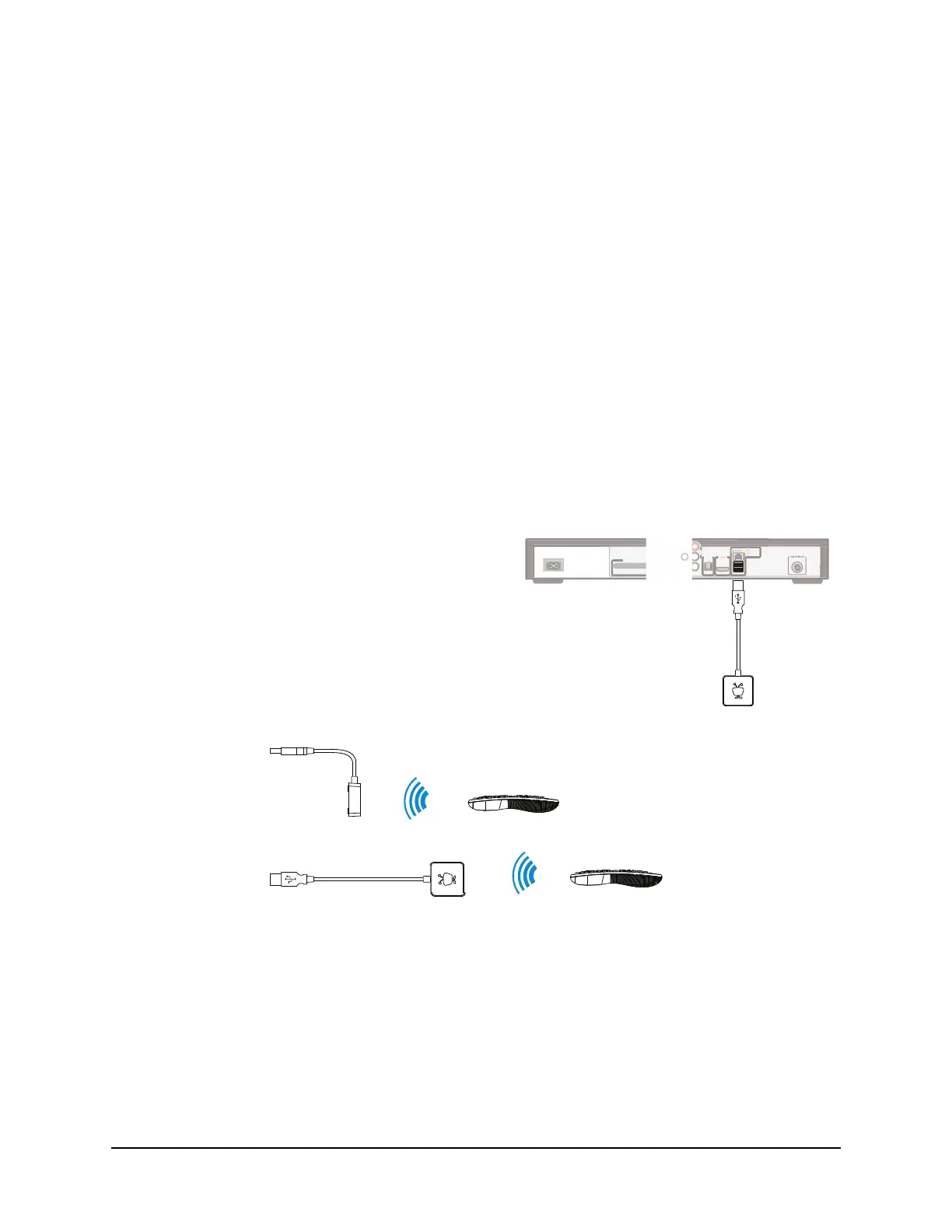
Figure 3–1: Positioning the IR Adapter
Position the IR adapter.
Position in either of the orientations shown below. If needed, secure
the adapter with the included Velcro patch.
Option 1:
Option 2:
Note: Make sure that the TiVo remote will have an unobstructed view of the adapter when the adapter is in position.
Connect the adapter to your TiVo box*.
Plug the IR Adapter USB connector into the TiVo box’s
USB port.
* Software version 20.2.2 or later required.
TiVo Premiere Series DVR
IR Adapter
ETHERNE
DIGITAL
AUDIO
PTI
AL
UDI
l
AR
MULTI-STREAM ONLY
MP
IT


 To Next Page