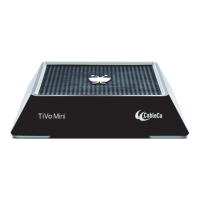
Troubleshooting TiVo Mini
36 TiVo Mini Operator’s Guide v1.0 • TiVo
®
Proprietary and Confidential
No video output
Issue: There is no video output.
Resolution: To troubleshoot this problem:
Ensure the TV is set to the correct video source.
Ensure all cables are secure.
Change the video output resolution on TiVo Mini:
a. Press the Resolution button (located on the bottom of TiVo Mini). Each time you press
the button, the output resolution will change.
b. Repeat pressing the Resolution button until a resolution is accepted by the TV. Wait a
few moments between each press for the new resolution to sync with the TV.
TiVo Mini not powering up, instability
Issue: TiVo Mini is not powering up or experiences instability and reboots.
Resolution: To resolve this problem:
Ensure the power adapter being used is a TiVo-approved power adapter for TiVo Mini.
Try a different TiVo-approved power adapter for TiVo Mini.
Can’t select DVR as Host
Issue: You can’t select a DVR as the default Host.
Resolution: Ensure the following requirements have been satisfied:
Both devices are running TiVo Client Software, version 20.2.2 or greater.
Both devices are on the same TiVo account.
Both devices are on the same network and subnet.
Both devices are activated and in good standing (Service State 3).
Both devices are connected to the home router using a high-bandwidth connection
(Ethernet or MoCA).
There are no more than 10 devices (with a TSN) associated with the user account.


 To Next Page