38
10 Diagnostics
The Orion can be fully tested before communicating with iProtect ™ through a diagnostic
program on the Network Controller.
10.1 Initiating Pluto diagnostics
NOTE System diagnostics are only possible if there is no communication between the Pluto and
iProtect™.
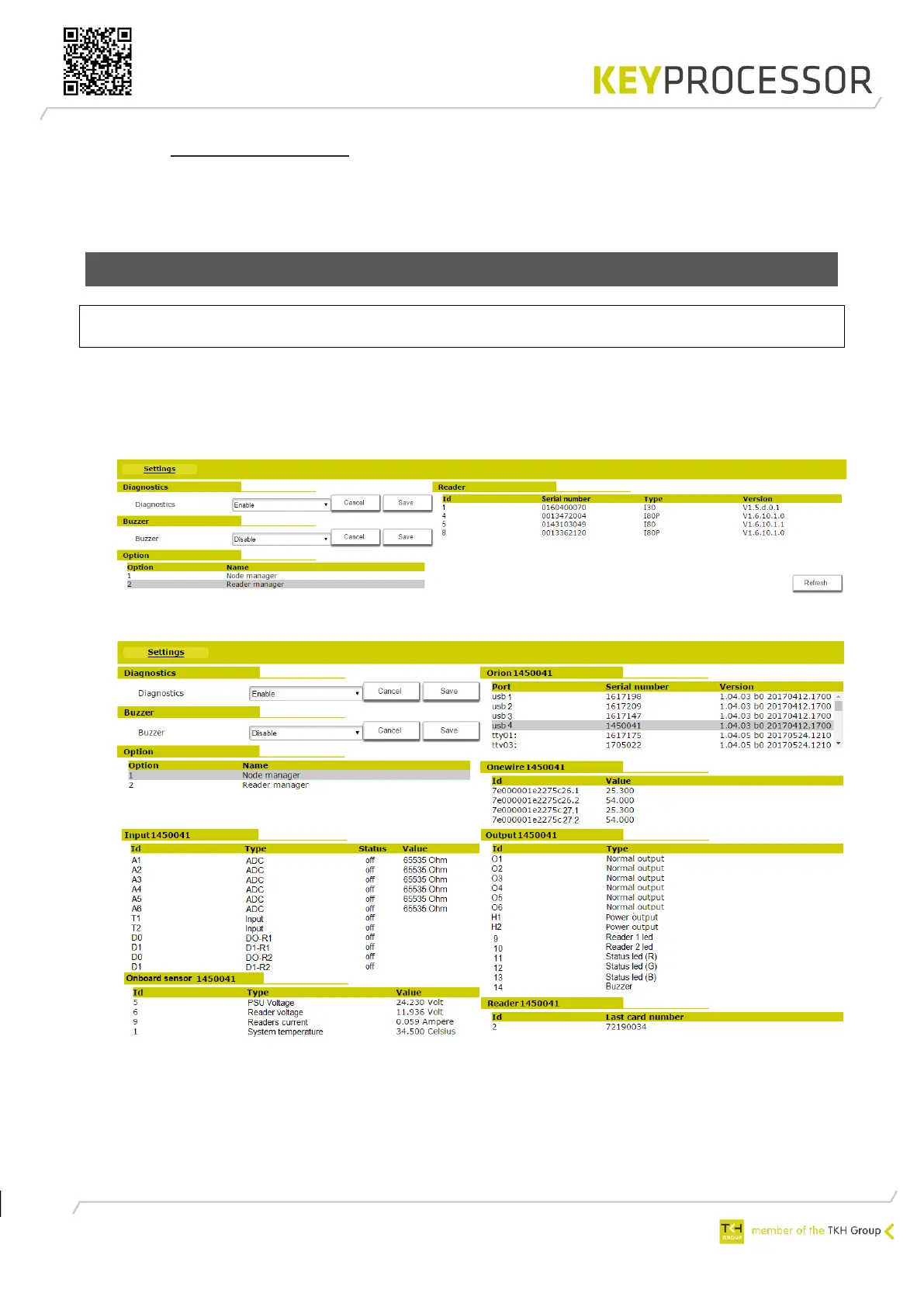
Navigate to the Pluto’s IP address and perform the following steps:
• Click on the ‘Hardware’ button and activate diagnostics.
• Reader manager: The connected RS485 card readers will automatically be retrieved and
a (scroll-down) list will appear.
• Node manager: The connected Orions will automatically be retrieved and a (scroll-down)
list will appear.
• Select the Orion in question according to its serial number
• All inputs will be displayed
• All outputs will be displayed by selecting an output, it can also be switched
• The on-board sensors will be displayed
• When an access card is presented to a reader, the card number will be displayed


 To Next Page