10
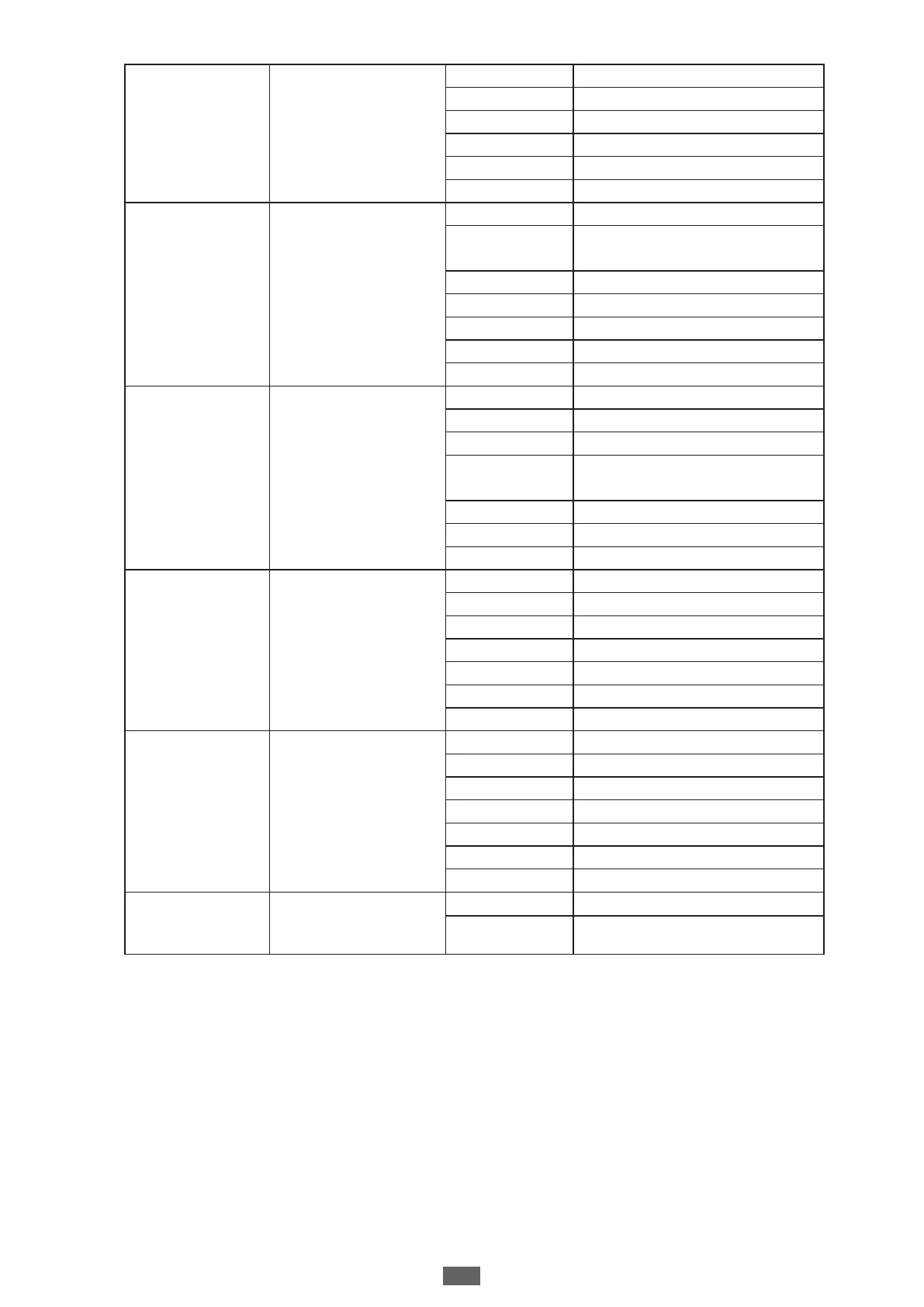
F15
Overcurrent
sensitivity
F15-0 0 (Default setting)
F15-1 0.1
F15-2 0.2
F15-3 0.3
F15-4 0.4
F15-5 0.5
F16
A Button
F16-0 Function OFF
F16-1
Open/Stop/Close/Stop
(Default setting)
F16-2 Open/Stop/Close
F16-3 Pedestrian Mode
F16-4 Open
F16-5 Stop
F16-6 Close
F17
B Button
F17-0 Function OFF
F17-1 Open/Stop/Close/Stop
F17-2 Open/Stop/Close
F17-3
Pedestrian Mode (Default
setting)
F17-4 Open
F17-5 Stop
F17-6 Close
F18
C Button
F18-0 Function OFF (Default setting)
F18-1 Open/Stop/Close/Stop
F18-2 Open/Stop/Close
F18-3 Pedestrian Mode
F18-4 Open
F18-5 Stop
F18-6 Close
F19
D Button
F19-0 Function OFF
F19-1 Open/Stop/Close/Stop
F19-2 Open/Stop/Close
F19-3 Pedestrian Mode
F19-4 Open
F19-5 Stop
F19-6 Close
FA
Flashing Light
FA-0 Function OFF (Default setting)
FA-1
Gate will start operation after ash
light blinking for 3 seconds


 To Next Page