10
5.5. Recording
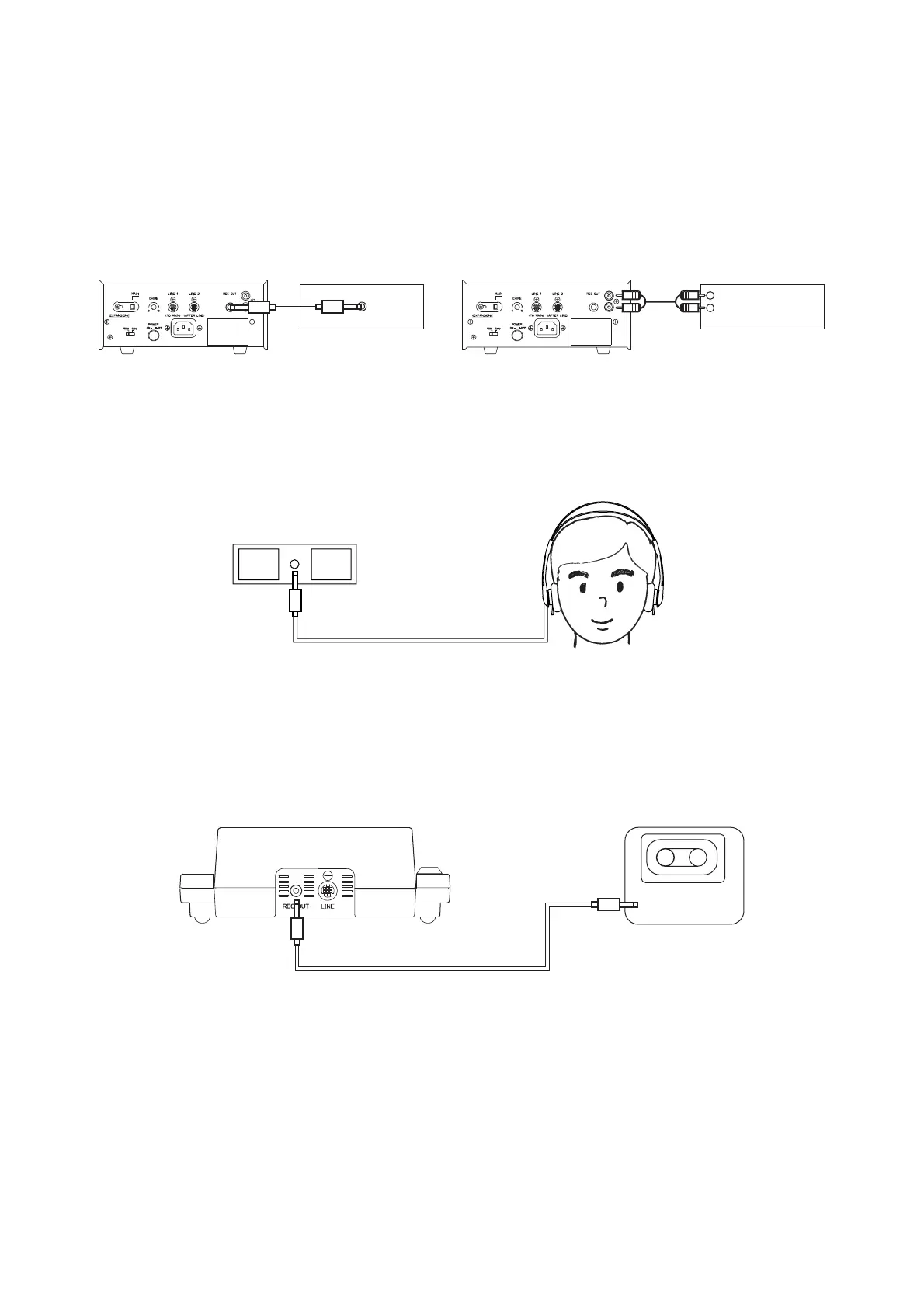
The contents of the conference can be recorded by connecting the AR-71B alternate cassette recorder or
other cassette recorder.
1. Connect the center amplifier's recording output to the recorder's recording input. (The connection cable is
separately needed.)
2. Connect a set of headphones into the recorder's monitor output to confirm that the contents of the
conference are being recorded correctly. Adjust the recorder's recording level control.
For operation of the recorder, refer to the instruction manual attached to the recorder.
The conference unit's rear-mounted recording output can also be used for recording.
Note
It is possible to change the volume of the conference unit's recording output by means of the center amplifier's
line volume control. When only recording and not amplifying speech from the conference unit, the recording
output cannot be used. For such purposes, use the center amplifier's recording output.



 To Next Page