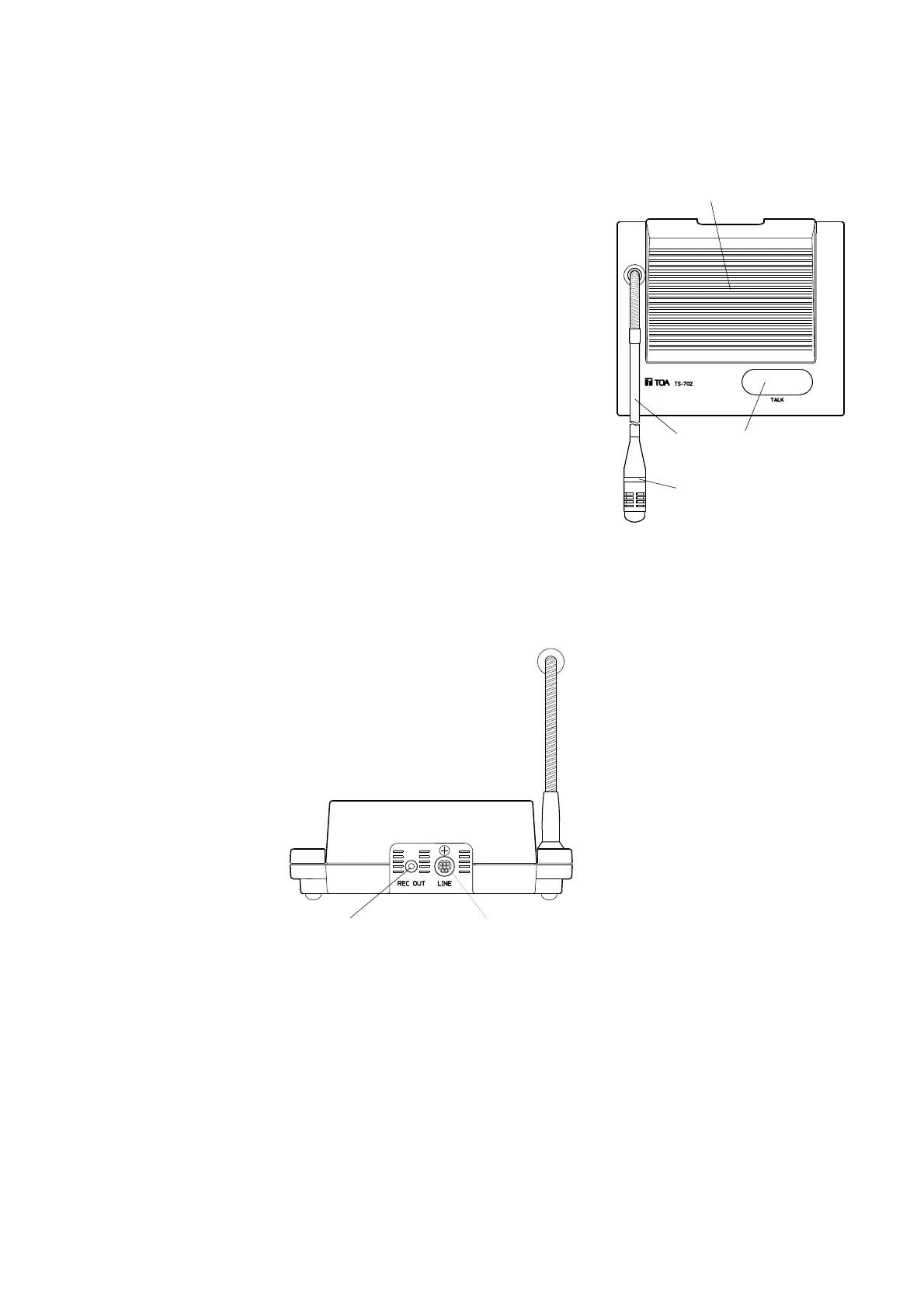
① Speaker
Outputs the speaker's voice. Adjust the volume with the center
amplifier's LINE volume control. The speaker is temporarily disabled
while the microphone in-use indicator is on.
② Gooseneck microphone
Keep your mouth 10–15 cm away from the microphone when speaking.
Because the orientation of the microphone can be changed, set the
microphone in the best position. The microphone can be removed
when put unit away.
③ Microphone in-use indicator
Lights when the microphone can be used.
④ Talk button [TALK]
Press this button to speak. The microphone in-use indicator lights.
Press this button again to turn off the microphone. The microphone
indicator is extinguished.
① Recording output jack [REC OUT]
Connects to a recording machine when recording
the contents of the conference.
② Line connection terminal [LINE]
Connects to the supplied cord.



 To Next Page