11
6. INSTALLATIONS AND CONNECTIONS
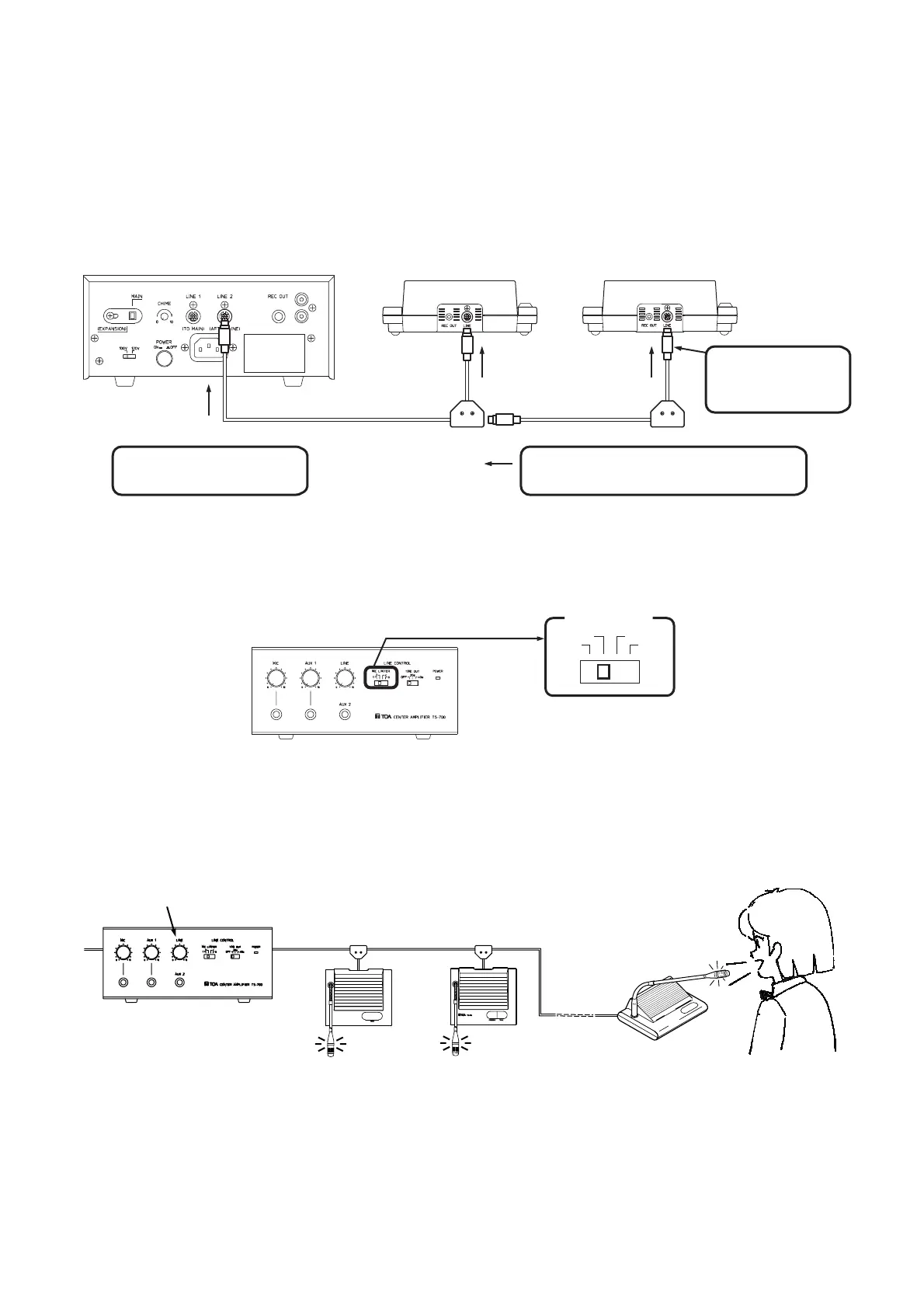
1. Connect the center amplifier to all conference units using the supplied connection cords. When connecting,
take care to ensure correct orientation of the cord as shown below.
Note that the system does not operate if the cords are connected in reverse orientation. Space the
conference units 1.5 – 2 m apart.
Center amplifier (TS-700) rear panel
Line connection
terminal
Line connection
terminal
Line 1 terminal and Line 2 terminal
Conference unit rear panel Conference unit rear panel
1 m 1 m
2 m 2 m
Connect a 2 m cord to the
center amplifier.
Connect a 2 m cord to the junction box.
Connect a 1m cord
to the conference
unit.
Junction box
Center amplifier (TS-700) front panel
MIC LIMITER
1
2
4
6
Example: Set to 2
Line volume control (LINE)
Delegate unit
TS-702
Delegate unit
TS-702
Chairman unit
TS-701
Center amplifier
(TS-700)front panel
2. Using the center amplifier's front-mounted switch, set the number of simultaneous speakers. (Refer to p. 9
"5.4. Limiting the Number of Simultaneously Usable Delegate Units (TS-702)".
3. Turn on the chairman unit microphone and those of the delegate units of the number set in Step 2 above.
Speaking into the microphones, adjust the microphone volume using the center amplifier's line volume
control (LINE).



 To Next Page