12
4. Confirm that no feedback is produced when each microphone to use is tested. If feedback is produced,
either widen the spacing of conference units or decrease the volume with the line volume control.
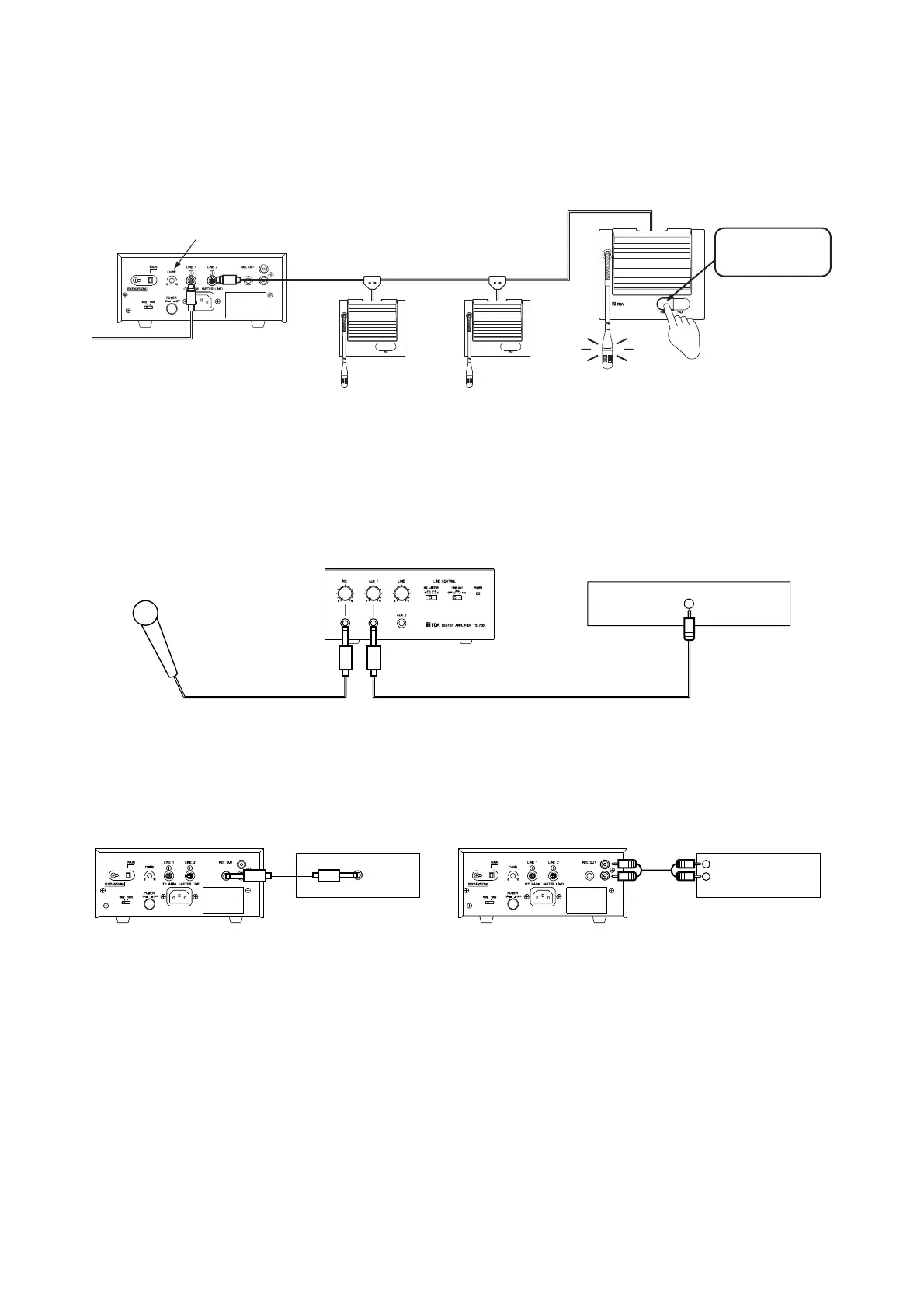
5. Press the chairman unit's PRIORITY button to sound a single-tone chime and adjust its volume with the
chime volume control located on the center amplifier rear panel.
Center amplifier (TS-700)
rear panel
Chairman unit TS-701
Chime volume control (CHIME)
Priority button
(PRIORITY)
TS-701
Delegate unit
TS-702
Delegate unit
TS-702
Center amplifier (TS-700)
front panel
Microphone
Line output
Background music machine
Center amplifier
(TS-700) rear panel
Center amplifier
(TS-700) rear panel
Recording input
Recording output
(REC OUT)
Recording output
(REC OUT)
Alternate cassette deck
AR-71B
Recording input
Other cassette recorder
6. When connecting a microphone and a background music machine to the center amplifier, adjust their sound
volume with their respective volume controls on the amplifier.
7. To record the contents of the conference, connect the center amplifier's recording output terminal to the
recorder's recording input terminal.



 To Next Page