7
5. OPERATIONS
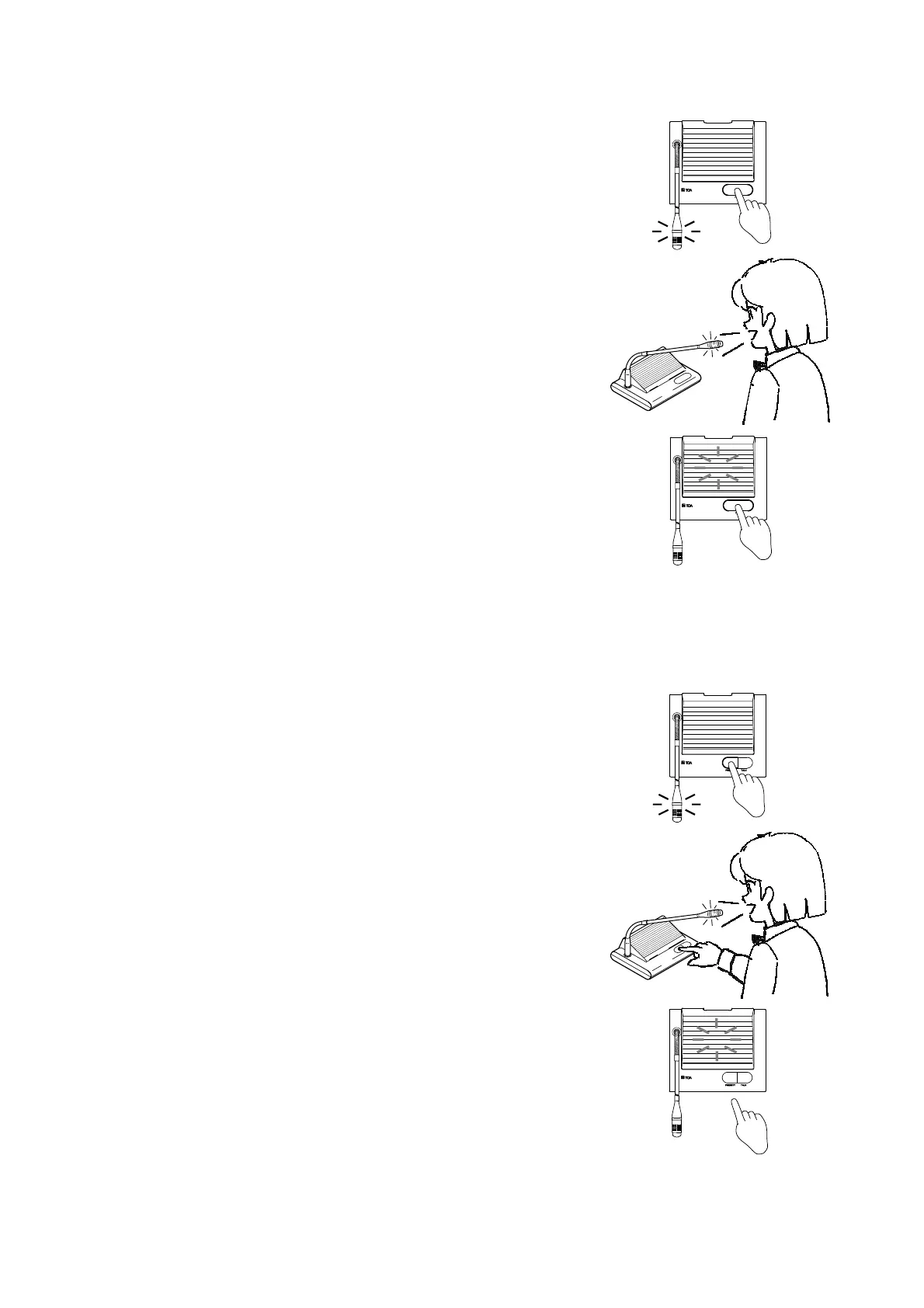
5.1. Using The Conference Unit
1. Press the TALK button.
The microphone in-use indicator lights, and the microphone can be
used.
2. Speak into the microphone.
3. Press the TALK button again after speech completion.
(The microphone in-use indicator is extinguished.)
5.2. Making Priority Speech
(Chairman Unit TS-701 Only)
When wishing to make priority speech while the delegate unit is in use,
this can be accomplished by pressing the PRIORITY button. The
microphone in-use indicator lights, and the chairman unit can be used.
In this event, the speaker is disabled. When the button is pressed, a
single-tone chime is sounded at the remaining conference units.
(Adjust the chime volume with the center amplifier's chime volume
control.)
1. Press the PRIORITY button.
2. Speak while holding down the button.
(None of other conference units can be used while the button is
pressed.)
3. Release the PRIORITY button after speech completion.
The microphone indicator is extinguished, turning on the speaker.
Note
In the system employing two or more chairman units, while one unit is
making priority speech, any other chairman unit can also make priority
speech although a single-tone chime is not sounded.
Any previous speech that has been overridden by the priority speech is
not restored even after priority speech completion. Press the TALK
button again.



 To Next Page