13
7. SYSTEM EXPANSION
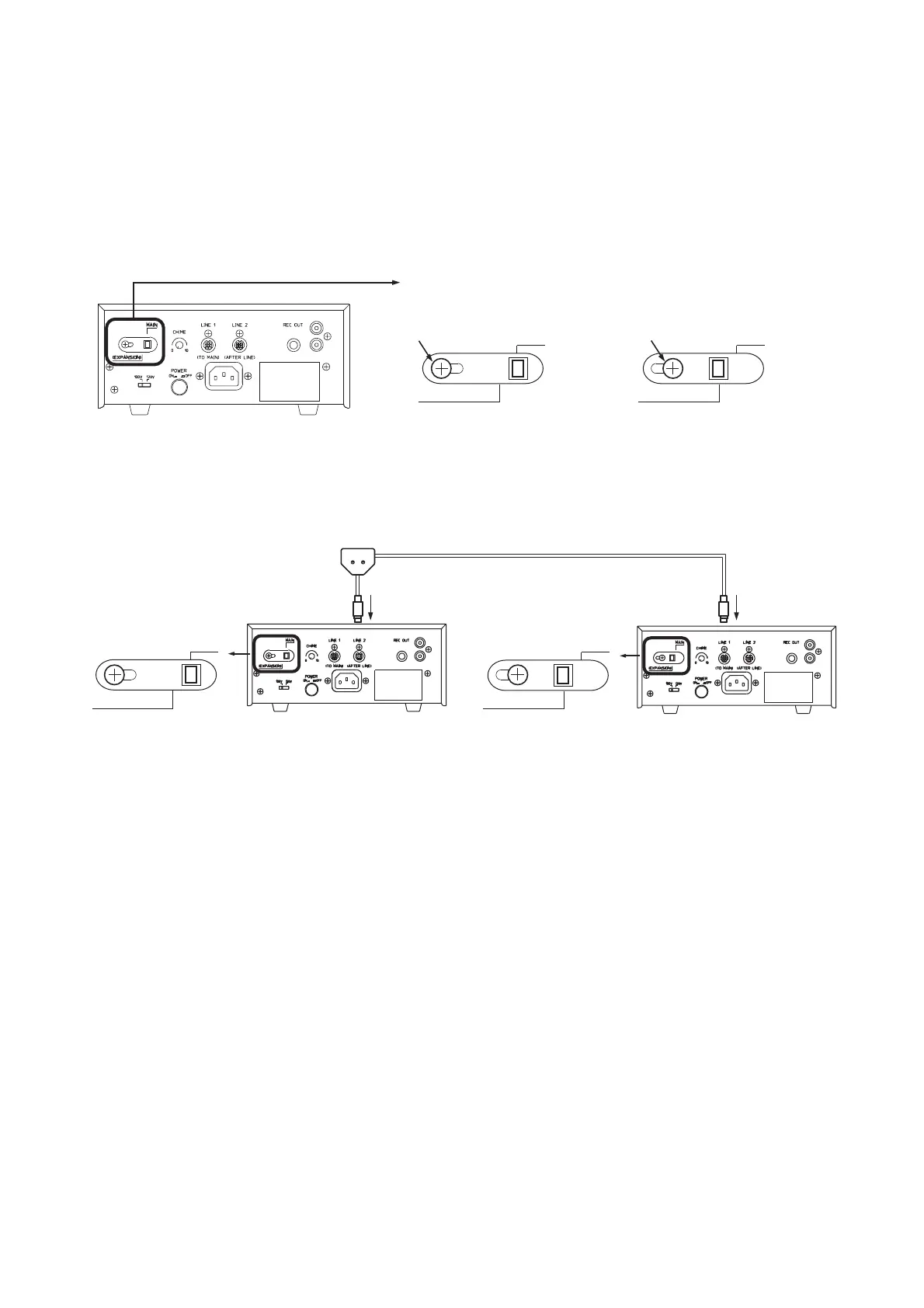
By adding the center amplifier as the expansion amplifier, the conference units can be expanded.
An optional extension cord YR-700 is required when connecting the expansion amplifier.
1. Loosen a lock screw on the expansion switch located on the center amplifier rear panel, and change the
setting from the MAIN position to the EXPANSION position. Re-tighten the lock screw after the change.
Expansion switch
Set to the MAIN position.
Expansion switch
Set to the EXPANSION position.
Center amplifier (TS-700) rear panel
(EXPANSION)
(EXPANSION)
MAIN
MAIN
Lock screw
Lock screw
Center amplifier Expansion amplifier
To line 1 or line 2
To line 1
Extension cord YR-700
MAIN position
(EXPANSION)
MAIN
EXPANSION position
(EXPANSION)
MAIN
2. Using the extension cord, connect the center amplifier's line 1 or line 2 terminal to the expansion amplifier's
line 1 terminal.
3. Set the expansion amplifier as follows:
• Speaker restriction switch
Only the center amplifier's speaker restriction switch is valid.
Place the expansion amplifier's switch in the [1] position.
• Mic-off setting switch
Place the switch in the same position as the center amplifier.
• Chime volume control
Place the expansion amplifier's chime volume control in the [0] position.
Use the center amplifier's chime volume control to adjust the chime volume.



 To Next Page