14
6.4. Operating the Combined System of the VM-3240VA/3360VA and
the SX-2000 System
Note
For installation, check the SX-2000 and VM-3000 settings by referring to the tables on p. 11.
Step 1. Power up or restart the VM-3240VA/3360VA after installing the VP-200VX in it.
Then, the VM-3240VA/3360VA recognizes the VP-200VX, making the VM-3240VA's/3360VA's
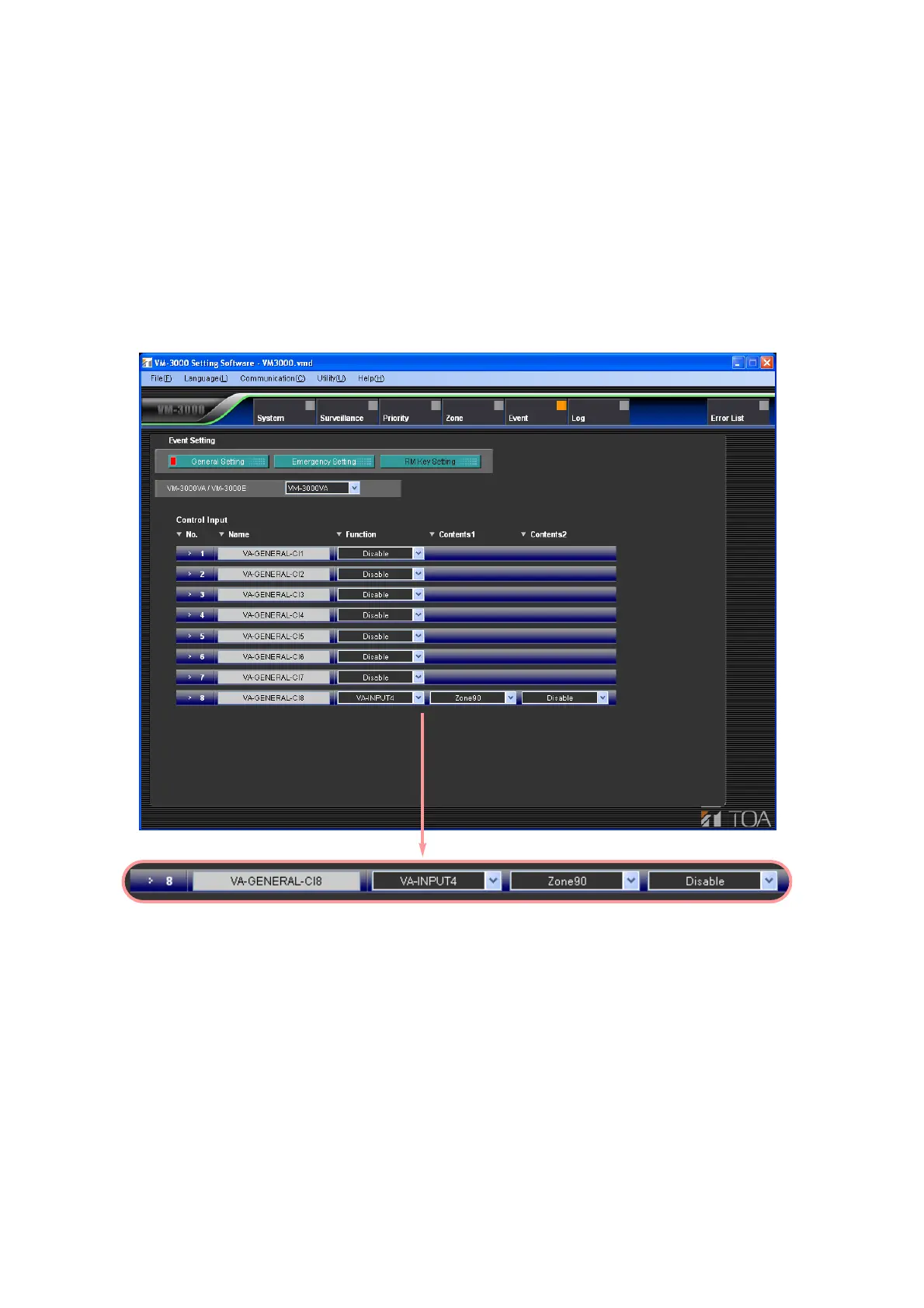
general control input terminal No. 8 have a function to shut off all audio signals input to the VM-
3240VA/3360VA when this terminal receives the control signal.
Step 2. Perform the general control input No. 8 setting on the VM-3000 Setting Software screen as shown
below. (For details, refer to the separate VM-3000 software instruction manual.)
Step 3. Apply a control signal to the VM-3240VA's/3360VA's general control input terminal No. 8.
Then, audio signals input to the VM-3240VA/3360VA are all shut off.



 To Next Page