7
4. SPEAKER LINE VOLTAGE CHANGE
4.1. VM-3240VA/3360VA and VM-3240E/3360E
The VM amplifier's speaker line voltage is set for 100 V line output. For 50 V or 70 V line applications, change
internal connector wiring as shown below.
Note
The speaker line failure detection functions are designed to perform on a 100-volt line of speaker. Set these
functions to OFF if the amplifier’s speaker line voltage is set to 50 V or 70 V. For the methods using a 70- or
50-volt line, please consult your TOA dealer.
Step 1. Remove the top cover referring to p. 3, step 1.
Step 2. Pull the cable connector (9-pin) connected to CN182
connector on the circuit board with the output attenuators.
Step 3. Change wires inserted into the cable connector for different
wires according to color-coding shown in the table below to
switch to the desired line voltage.
Step 4. Connect the cable connector to the circuit board.
Step 5. Replace the top cover.
[Connector pin assignment]
Speaker line voltage CN182 Connector Pin Number
123456789
100 V White Violet Blue Green Yellow Orange Red Brown Black
70 V Violet Blue Green Yellow Orange Red Brown White Black
50 V Blue Green Yellow Orange Red Brown White Violet Black
[Speaker line voltage/impedance]
Speaker line voltage VM-3240 VM-3360
100 V 42 Ω 28 Ω
70 V 21 Ω 14 Ω
50 V 10 Ω 7 Ω
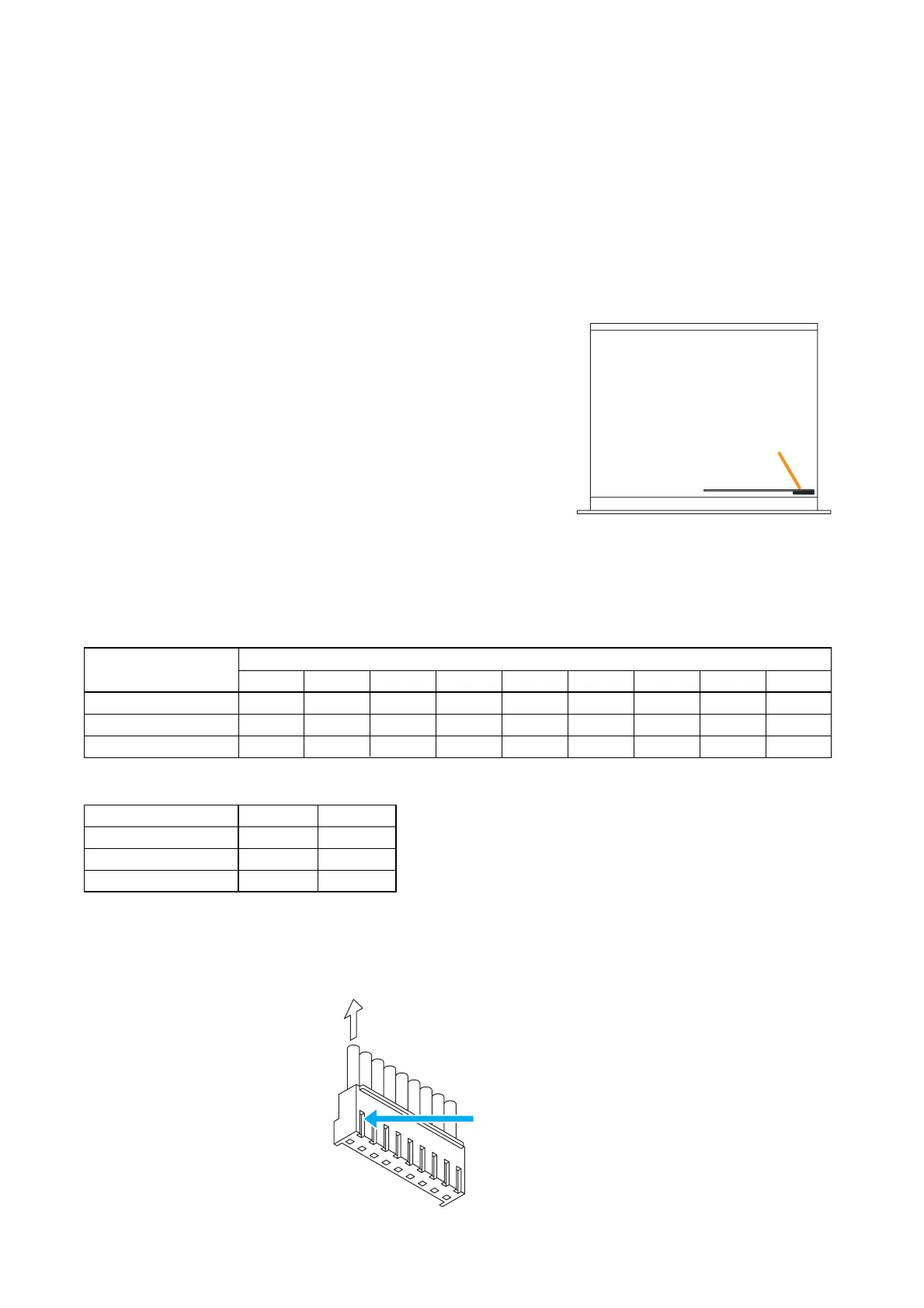
[How to remove cables from connector]
Pull out the cable pressing the lock spring with a pointed object like tweezers as shown below.
Pull out the cable.
Press the lock spring.



 To Next Page