2
1. SWITCHING OFF THE SYSTEM POWER
When it is necessary to open the equipment's case for modification or change of setting, the system's power
needs to be switched off.
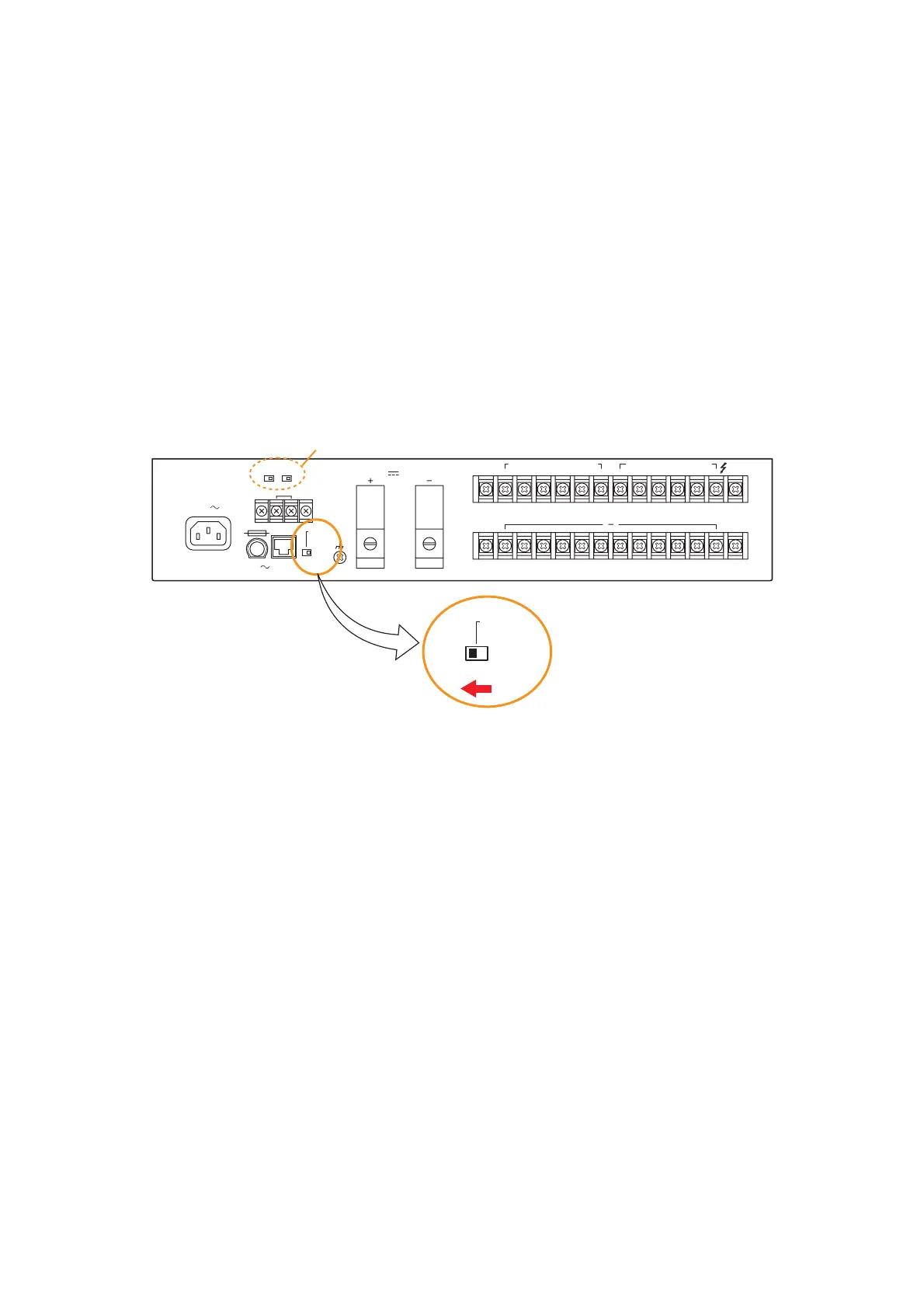
If the DC power supply from the VM-3240VA/3360VA, VM-3240E/3360E, and VX-200PS to the VX-2000DS
stops, the VX-2000DS automatically switches the system's power supply over to the battery. The system
power can be switched off without switching over to the battery by using the VX-2000DS' Setting switch.
Note
Stopping the AC power supply to the VX-2000DS automatically switches the power supply over to the battery.
Take care not to stop the AC power supply to the VX-2000DS.
[To switch off the system power]
Step 1. Terminate all current broadcasts to stop system operation.
Step 2. Shift the Setting switch on the VX-2000DS's rear panel to the "AC" position.
Step 3. Stop the AC power supply to the VM-3240VA/3360VA, VM-3240E/3360E, and VX-200PS by
disconnecting each unit's AC power cord.
This permits the system power to be switched off without switching over to battery operation if AC
power is supplied to the VX-2000DS.
[To restore the power supply to the system]
Step 1. Restore the AC power supply to the VM-3240VA/3360VA, VM-3240E/3360E, and VX-200PS.
The DC power is supplied from these units to the VX-2000DS.
Step 2. Shift the Setting switch on the VX-2000DS rear panel back to the "DC" position.
Step 3. Operate the system normally.



 To Next Page