6
Step 4. Plug the VP-200VX's connector into the CN106 connector on the circuit board inside the amplifier.
[VP-2241/2421 Connector position]
Step 5. After mounting is completed for all required channels, replace the top panel.
3.2. Ground Lifting Using the VP-200VX
When operating the system, hum noise may be generated by a ground loop accidentally created in the
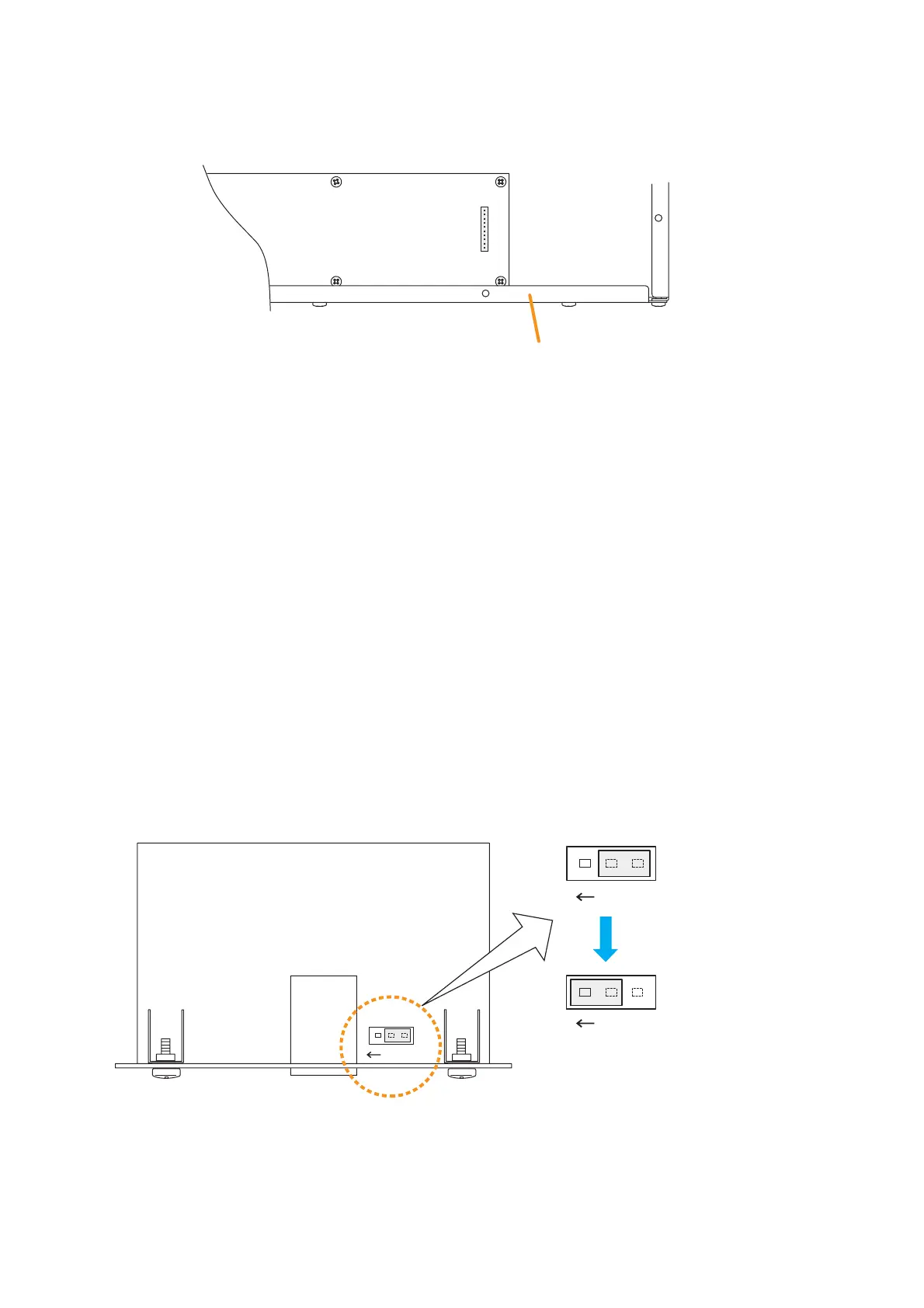
system. The ground loop can be cut off with the Ground Lift jumper connector setting on the VP-200VX board.
Step 1. Remove the VP-2241/2421 unit's top panel referring to p. 5, step 1.
Step 2. Take out the VP-200VX.
Step 3. Unplug the jumper socket and plug it to the LIFT position on the VP-200VX board as shown below.
Step 4. Fit the VP-200VX back into place.
Step 5. Replace the top panel.



 To Next Page