3
2. INPUT TRANSFORMER INSTALLATION AND MIC INPUT SENSITIVITY
CHANGE
• Each of the MIC inputs 1 to 3 (electronically balanced) can be converted to a transformer-balanced input by
installing an optional input transformer IT-450 on the PC board.
• Each sensitivity of the MIC inputs 1 to 3 can be changed from –50 dB (factory-preset) to –30 dB by cutting
the corresponding jumper wire on the input PC board.
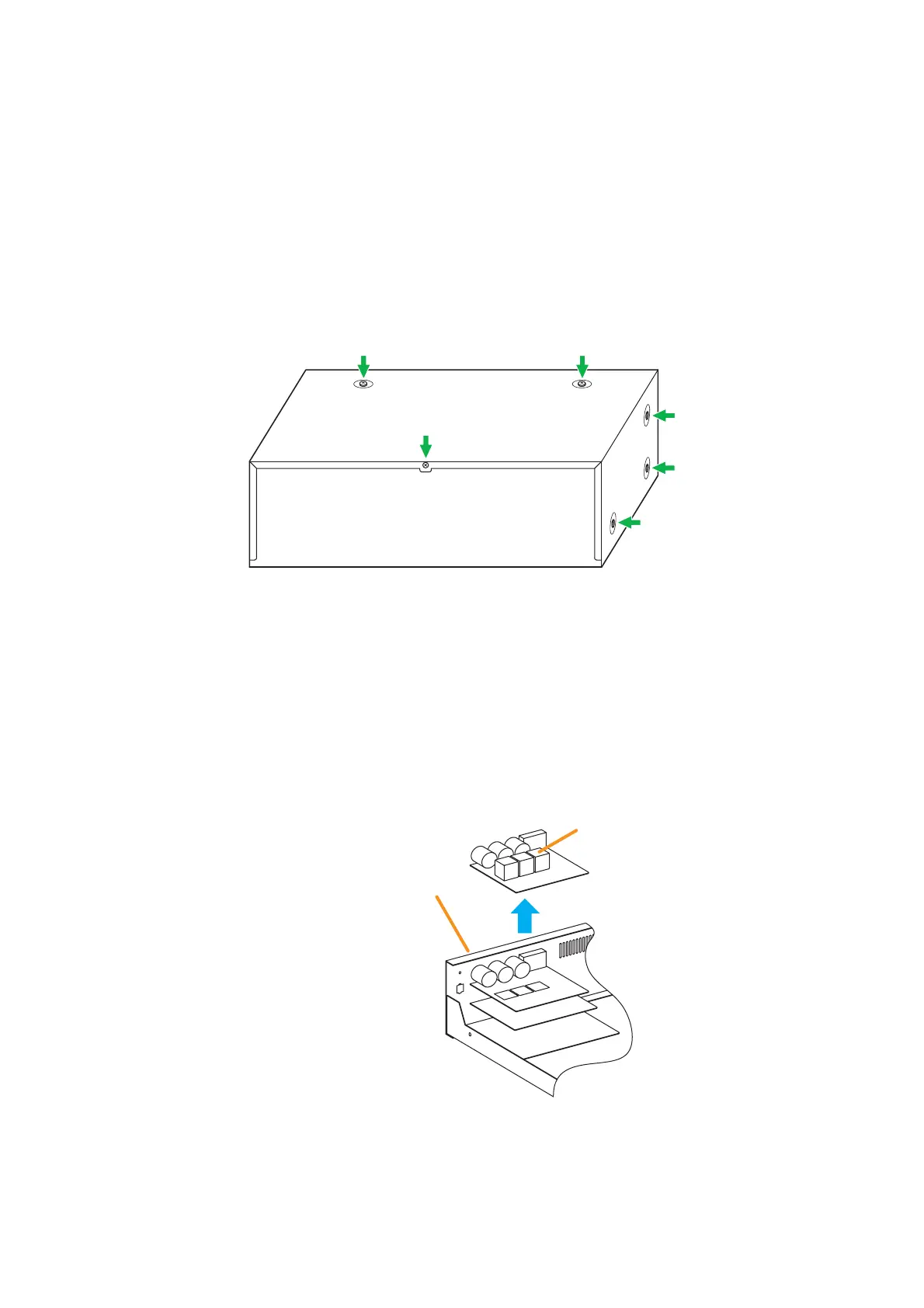
Step 1. Remove the screws securing the VM-3240VA/3360VA's cover (3 pieces on each side, 2 on the top,
and 1 on the rear) to detach the cover.
Step 2. Remove the input PC board.
The input PC board is fixed to the unit's rear panel with 8 screws.
Unscrew the PC board to detach it.
Step 3. To convert the electronically balanced input to a transformer-balanced one, install and solder the IT-
450 transformer at the corresponding location on the PC board.



 To Next Page