Tool menu
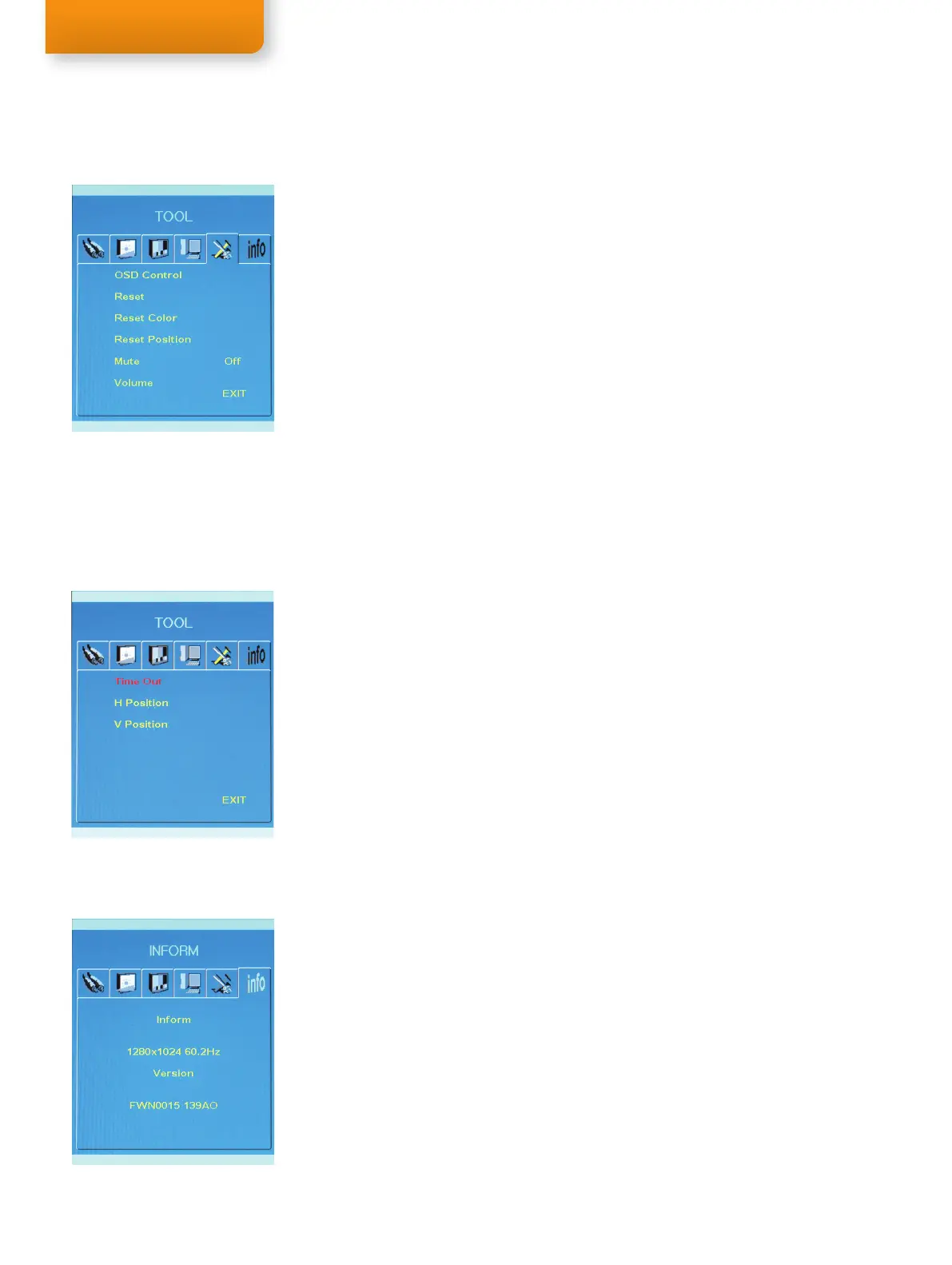
Press the Menu button to display the TOOL menu. Use steps 3 - 4 of Navigating the menu instructions
(page 18) to navigate and change the settings.
OSD Control
Enter the OSD Control Menu by pressing the Menu button.
Reset
Change all settings to factory set values.
Reset Color
Change the color settings to factory set values.
Reset Position
Change the screen position to factory set values.
Mute
Sets the sound ON and OFF.
Volume
Adjusts the sound volume of the eye tracker speakers.
EXIT
Exit the OSD dialog box.
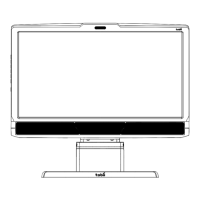
OSD Control menu
Highlight the OSD Configuration Menu and press the Menu button.
Time OUT
Adjust the view time of the OSD dialog box.
H Position
Adjust horizontal position of OSD dialog box.
V Position
Adjust vertical position of OSD dialog box.
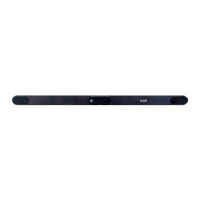
Information
Press the Menu button to display the INFORM menu. Use steps 3 - 4 of Navigating the menu
instructions (page 18) to navigate and change the settings.
Inform
Displays image input information.
Version
Displays information on the screen’s controler firmware.



 To Next Page