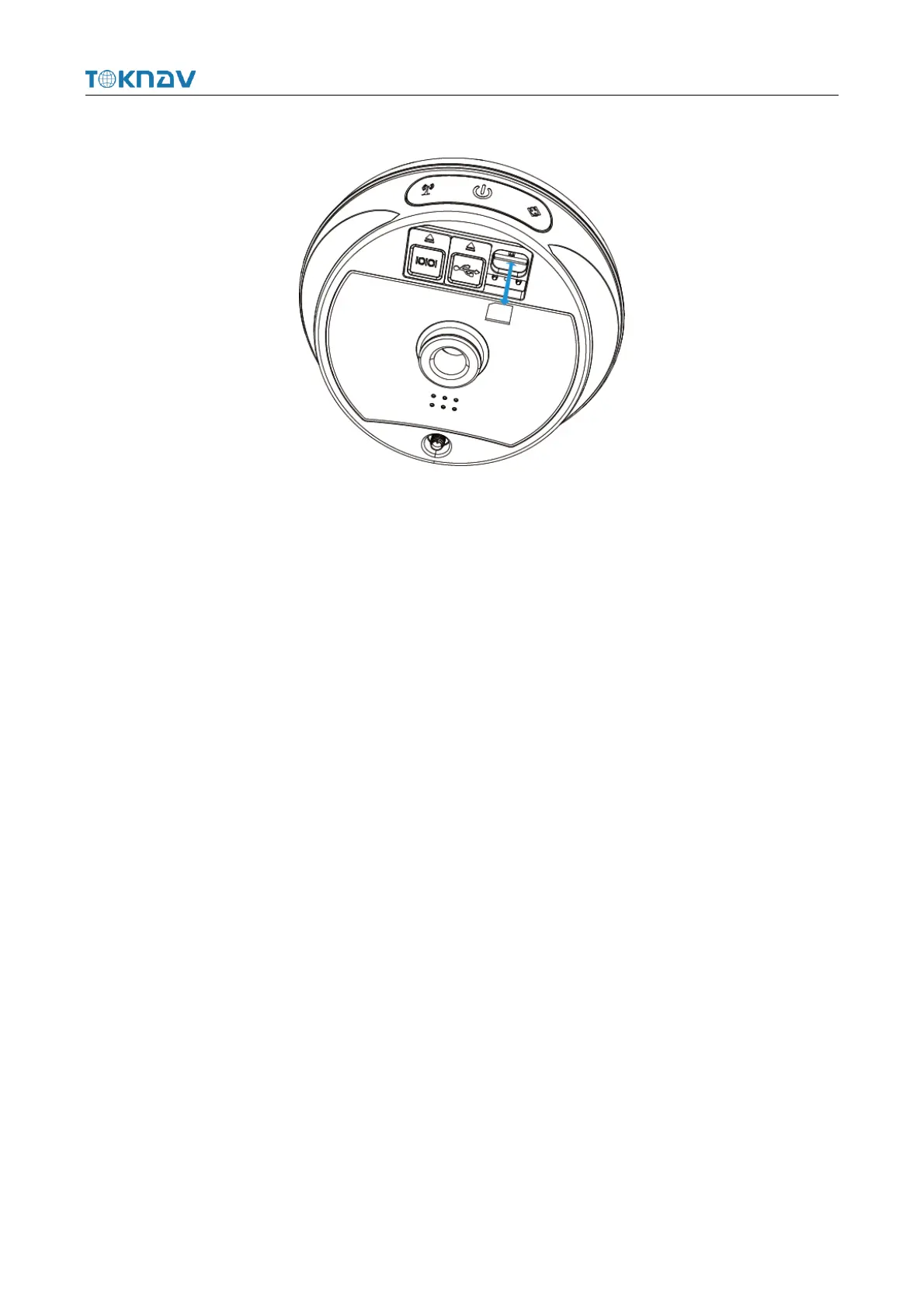
2.4 Insert A SIM Card
The device supports network working mode. Insert SIM card:
1. Open the rubber cover;
2. Insert the SIM card slot according to the instructions (the chip faces the
bottom center, the notch faces the card slot);
3. Cover the rubber sleeve.
2.5 Charge The Battery
The device is equipped with a Type-C charger that supports up to 18W PD fast
charging.
It takes 4 hours to fully charge the battery:
1. Red light: The battery is charging.
2. Green indicator light: The battery is fully charged.
To charge the battery, open the type-C cover, connect one end of the data cable
to the type-C interface, and the other end to the charger.
Note: For the safety of your device, please use the standard adapter in the
package or a 3C-certified brand adapter to charge the host.
2.6 Install The Radio Antenna
The antenna is required when the datalink is set to internal radio.



 To Next Page