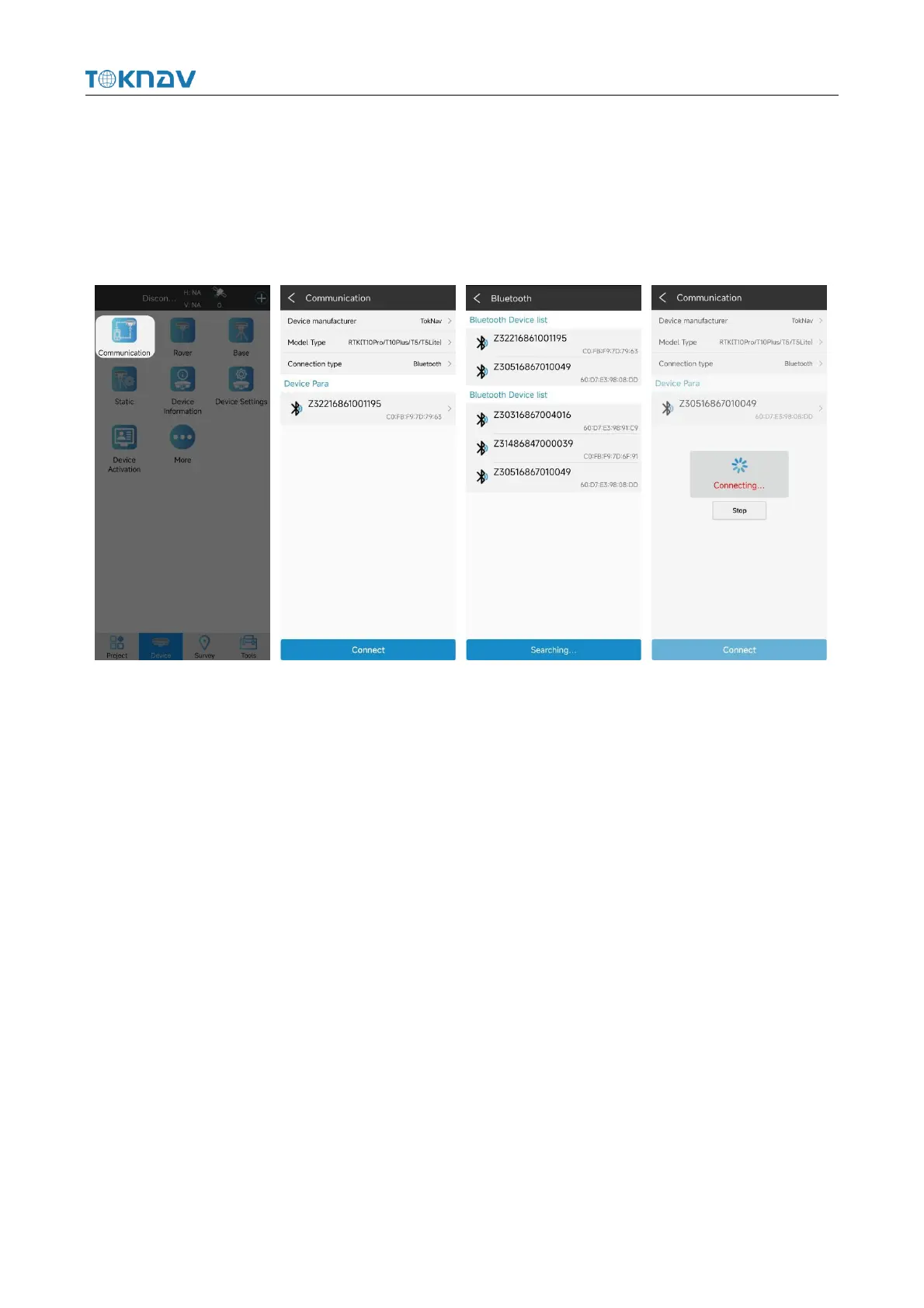
to the communication setting interface. Click Connect to pop up the connection
progress box, indicating that the connection is in progress. After successful
connection, automatically return to the main interface of the instrument.If the
Bluetooth name of the corresponding device is not found in the available devices,
click Search, switch to Refresh, and click Refresh.
4.3 New Project
Action: Project → Project Manager → New
Enter the name of the item. Others are additional information and can be left
blank. Fill in by default or according to actual data. Click [Next.Jump] to the
coordinate system parameter interface. The ellipsoid parameter in China is
CGCS2000, projected by Gauss by default. For other parameters, you can set the
coordinate system according to the actual operation requirements.



 To Next Page