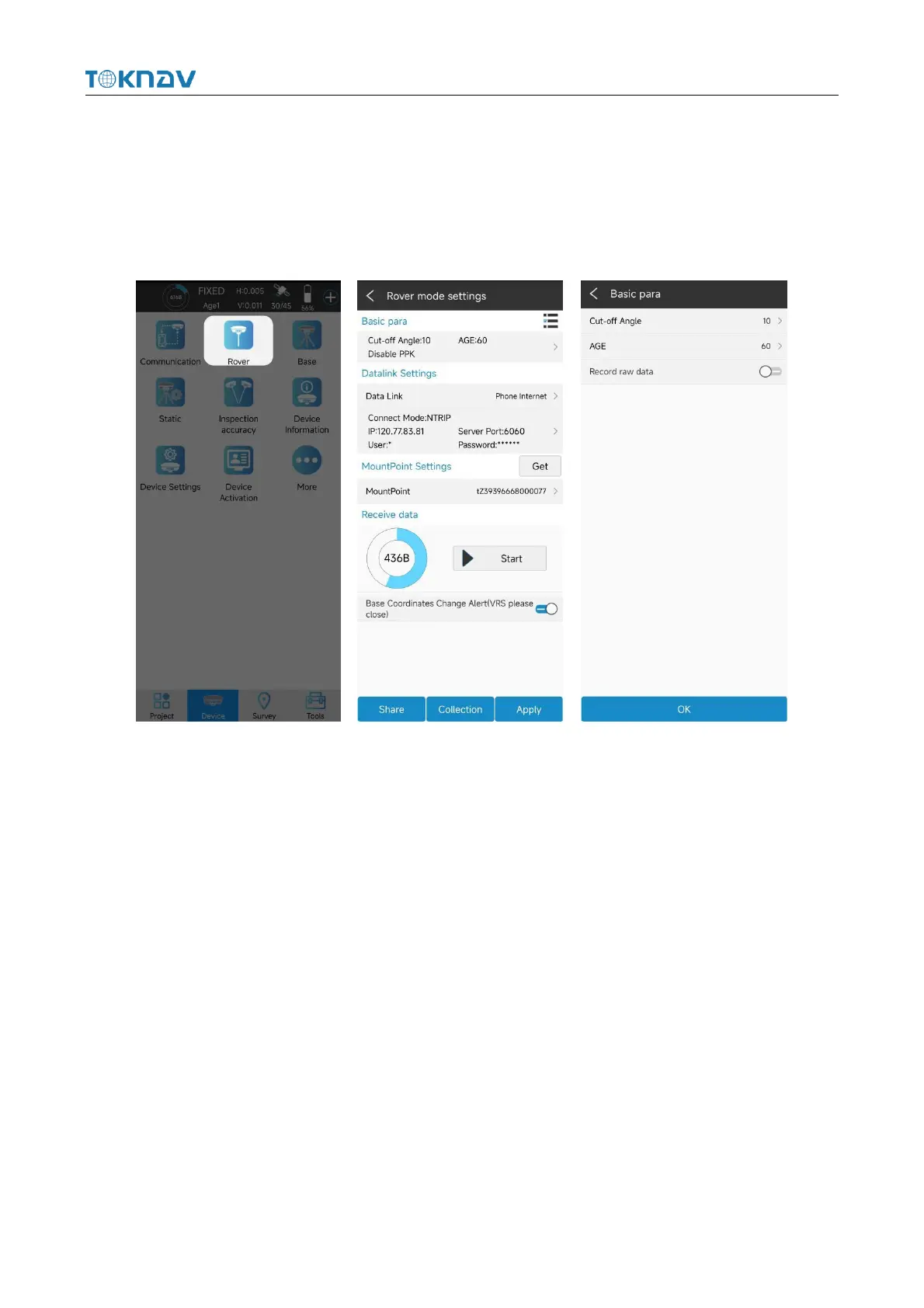
4.7 Rover Mode Setting
Operation: Device → Rover
Set basic parameters such as height cut-off angle, differential delay and whether
PPK is enabled. Click "Data Link" to select the required data link.
4.7.1 Phone Internet Data Link
Select "Manual network" for data link, enter parameter setting, select connection
mode and CORS setting, click "OK" to automatically return to rover station setting
interface, click "Get ", select access point base station, click" Start "or" Apply ",
return to instrument main page to check whether the solution is fixed.



 To Next Page