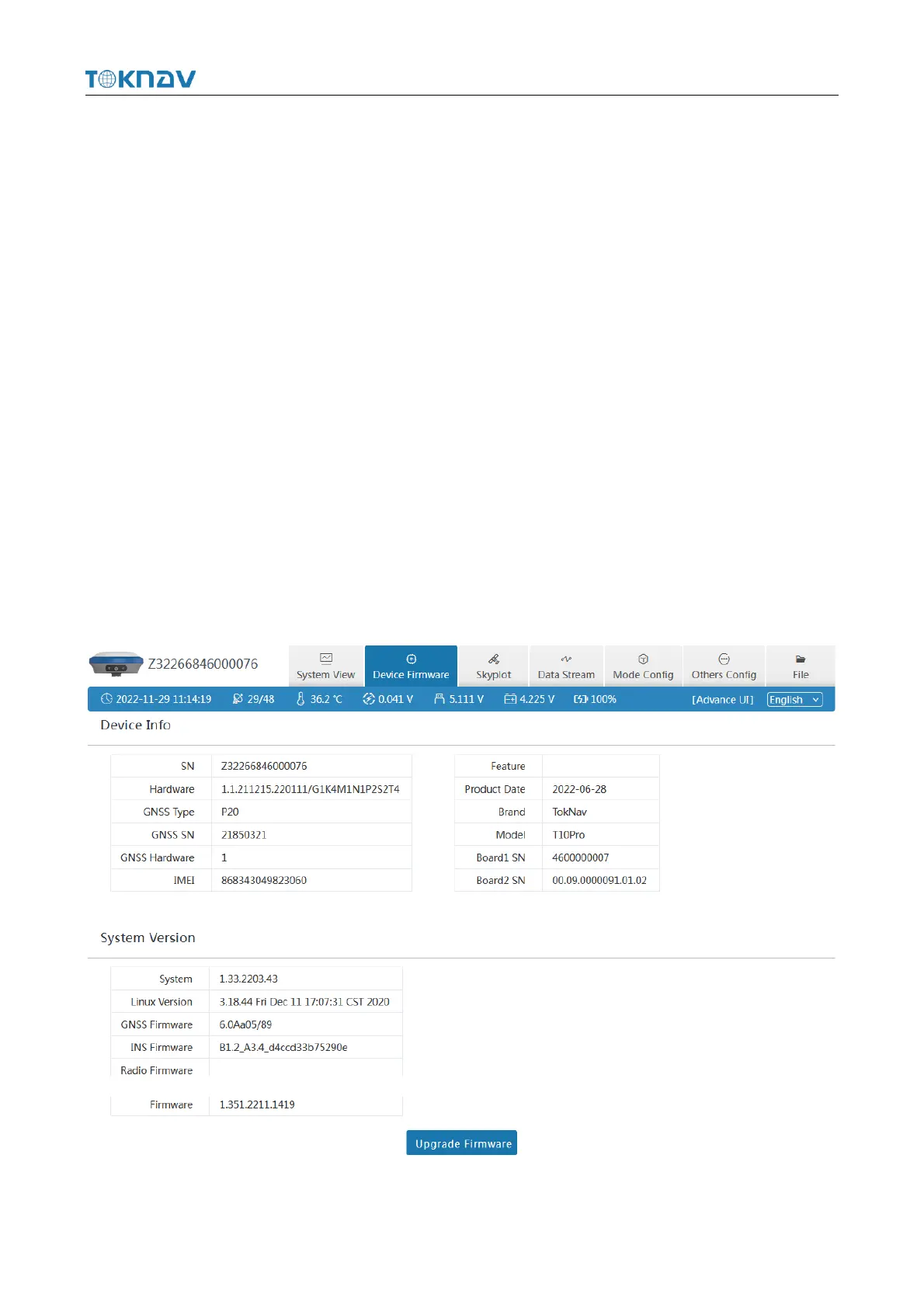
3.2 Device Firmware
① Device Info : SN, Hardware, GNSS Type, GNSS Hardware;
② System Version : System, GNSS Firmware, INS Firmware, Firmware.
Click Upgrade Firmware below to automatically identify and upgrade the
positioning board firmware, tilt module firmware, and device firmware. There will be
a prompt below during the upgrade process, and the device will restart after the
upgrade is complete. The operation steps are as follows:
1. Click [Upgrade Firmware];
2. Select the correct device firmware in the pop-up window, flash the firmware
and wait for the device to restart;
3. After the restart is complete, the firmware upgrade is completed;
4. Reconnect the device WiFi, enter the webui, and check whether the firmware
has been upgraded successfully.



 To Next Page